





Aqua Keyblade
Verified Member
-
Joined
-
Last visited
Everything posted by Aqua Keyblade
-

-
-
i know you're mean hahhaha^^
-
i know you're mean hahhaha^^
-
i am not the rich people same are you guys ... i can only play dissidia in psp or in playstasion 2 game final fantasy or ds
-
I just want to plau Final Fantasy XIII but i don't have PS3.... Poor me "-_-
-
-
i draw my picture then i design that picture ^^
-
-
good luck ^^
-
it turns out that drawing roxas and sora is very easy !!!! ^^
-
they are same cool
-
-
yeah same think
-
thanks
-
-
-
-
-
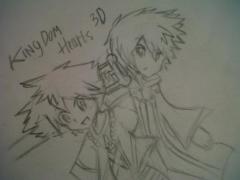 this is my ddrawing manga sora firt time ...
 -
reflega is the usefull for tehehehe thanks kesofblades i think i will learn their moves more ^^
-
reflega is the usefull for tehehehe thanks kesofblades i think i will learn their moves more ^^
-
you still don't get it snow my lv is 99 can't be level up my skill is all i have i must have tactic .... ><
-
why...why...why...!!!! in KH2 FinalMix i can't beat terra or 13 organiztion to hard !!!!!! 16 box hp and attack sttrong makes me angry !!!
-
oowww....
