Jump to content
View in the app

A better way to browse. Learn more.

KH13 · for Kingdom Hearts

A full-screen app on your home screen with push notifications, badges and more.

To install this app on iOS and iPadOS
  1. Tap the Share icon in Safari
  2. Scroll the menu and tap Add to Home Screen.
  3. Tap Add in the top-right corner.
To install this app on Android
  1. Tap the 3-dot menu (⋮) in the top-right corner of the browser.
  2. Tap Add to Home screen or Install app.
  3. Confirm by tapping Install.

Joshua Horne

Verified Member
  • Joined

  • Last visited

Everything posted by Joshua Horne

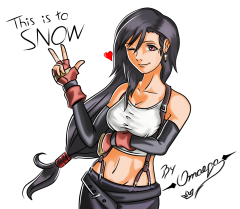
  1. Joshua Horne commented on -Omaega-'s gallery image Drawings
  2. Doh! can anybody give me the site with the interview that tells the Graphics type in KH3D and how it relates to how the character models are good enough to be used in KH1.5 I need to prove a point on youtube.com I remember reading the interview that explains it but I can't find it due to my luck & not remembering where I read it is bugging me anyway

Configure browser push notifications

Chrome (Android)
  1. Tap the lock icon next to the address bar.
  2. Tap Permissions → Notifications.
  3. Adjust your preference.
Chrome (Desktop)
  1. Click the padlock icon in the address bar.
  2. Select Site settings.
  3. Find Notifications and adjust your preference.
Scroll to the top