





RacingWolf7957_1550577373
Verified Member
-
Joined
-
Last visited
Everything posted by RacingWolf7957_1550577373
-
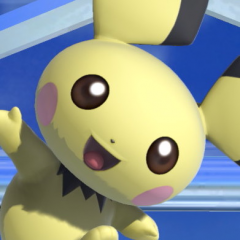 Who remembers this Game? LMAO That Sora is Sion Barzahd
 -
I've heard of Marko Zaror, he was Undisputed III: Redemption, with Scott Adkins
-
Yes. ⚽
-
FORZA ITALIA! VAMOS ARGENTINA! 🇮🇹🇦🇷
-
Happy Early Birthday Limen 🎂🎉🥳
-
Tomorrow is a big day
Thank you ?
These are my Fighting Game Mains ?
Oh
No Tyron Woodley is fighting Jake Paul Floyd Mayweather is fighting Logan Paul
Who is watching the Mayweather Fight tonight?
Jeffry https://virtuafighter5us.sega.com/images/characters/fullsize/jef.jpg Taka-Arashi https://virtuafighter5us.sega.com/images/characters/fullsize/tak.jpg
Goh https://virtuafighter5us.sega.com/images/characters/fullsize/goh.jpg Jean https://virtuafighter5us.sega.com/images/characters/fullsize/krt.jpg
Vanessa https://virtuafighter5us.sega.com/images/characters/fullsize/van.jpg
So Lion then. Great choice
Sarah https://virtuafighter5us.sega.com/images/characters/fullsize/sar.jpg
Jacky https://virtuafighter5us.sega.com/images/characters/fullsize/jak.jpg Lion https://virtuafighter5us.sega.com/images/characters/fullsize/lio.jpg
Yo Epheymer, are you referring to Jacky or Lion?
Any characters you liked?
Anyway. Back to Virtua Fighter
Account
Search
Configure browser push notifications
Chrome (Android)
- Tap the lock icon next to the address bar.
- Tap Permissions → Notifications.
- Adjust your preference.
Chrome (Desktop)
- Click the padlock icon in the address bar.
- Select Site settings.
- Find Notifications and adjust your preference.
Safari (iOS 16.4+)
- Ensure the site is installed via Add to Home Screen.
- Open Settings App → Notifications.
- Find your app name and adjust your preference.
Safari (macOS)
- Go to Safari → Preferences.
- Click the Websites tab.
- Select Notifications in the sidebar.
- Find this website and adjust your preference.
Edge (Android)
- Tap the lock icon next to the address bar.
- Tap Permissions.
- Find Notifications and adjust your preference.
Edge (Desktop)
- Click the padlock icon in the address bar.
- Click Permissions for this site.
- Find Notifications and adjust your preference.
Firefox (Android)
- Go to Settings → Site permissions.
- Tap Notifications.
- Find this site in the list and adjust your preference.
Firefox (Desktop)
- Open Firefox Settings.
- Search for Notifications.
- Find this site in the list and adjust your preference.
