




Jump to content
View in the app

A better way to browse. Learn more.

KH13 · for Kingdom Hearts

A full-screen app on your home screen with push notifications, badges and more.

To install this app on iOS and iPadOS
  1. Tap the Share icon in Safari
  2. Scroll the menu and tap Add to Home Screen.
  3. Tap Add in the top-right corner.
To install this app on Android
  1. Tap the 3-dot menu (⋮) in the top-right corner of the browser.
  2. Tap Add to Home screen or Install app.
  3. Confirm by tapping Install.

Jonathan Baldwin

Verified Member
  • Joined

  • Last visited

  1. Jonathan Baldwin posted a status update
    this 1 to
  2. Jonathan Baldwin posted a status update
    must watch
  3. Jonathan Baldwin posted a status update

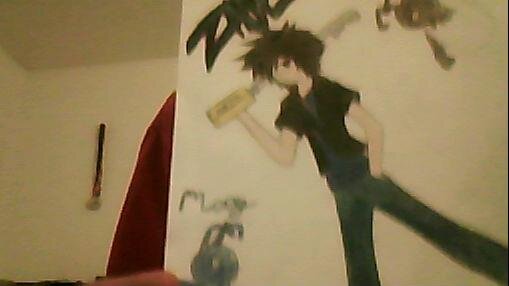
    for the ones who dont know my profile picture is a picture of Zane a character i made up he is Vanitas nobody but that doesnt mean hes darkness he light i actually based him off of sora but thats how they made vanitas and the two odd heartlesses are good sides of heartlesses the normal clored one (joey) stays in the backpack so Zane doesnt get confused and the blue one (moey) can sense trouble when its coming he can run about because hes threonly blue heartless

    thanks for the vote of confidence (line used by lea in kingdom hearts 3D) and no its not xeanorts evil and he has one

    Protoman replied

    However "evil" the character is, it doesn't make Vanitas capable of generating a nobody. Let alone a light-based nobody.

    use this sora light roxas dark for joining organization then CHOOSES to leave and be light

     

Configure browser push notifications

Chrome (Android)
  1. Tap the lock icon next to the address bar.
  2. Tap Permissions → Notifications.
  3. Adjust your preference.
Chrome (Desktop)
  1. Click the padlock icon in the address bar.
  2. Select Site settings.
  3. Find Notifications and adjust your preference.
Scroll to the top
