Jump to content
View in the app

A better way to browse. Learn more.

KH13 · for Kingdom Hearts

A full-screen app on your home screen with push notifications, badges and more.

To install this app on iOS and iPadOS
  1. Tap the Share icon in Safari
  2. Scroll the menu and tap Add to Home Screen.
  3. Tap Add in the top-right corner.
To install this app on Android
  1. Tap the 3-dot menu (⋮) in the top-right corner of the browser.
  2. Tap Add to Home screen or Install app.
  3. Confirm by tapping Install.

ToritheCat

Verified Member
  • Joined

  • Last visited

  1. Anonn0000 left a comment on ToritheCat's profile

    Hi! I befriended you^^ I also like ponies^^

    ToritheCat replied

    Thanks.Yveltal is a stupid name,by the way.

    Anonn0000 replied

    Ahh, the new pokemon xD; Yeah, it kinda doesn't make much sence to me, either.


    Your welcome :3


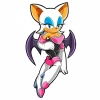
    Nice Rouge avatar...I notice both our avatars have bat like wings xD Epic.

  2. ToritheCat posted a status update

    I'm done!

  3. ToritheCat posted a status update

    I'm making a new profile picture.OF ME!

  4. ToritheCat posted a status update

    I'm awesome.I switch shades sometimes...force of habit.Let's take these other ones off...

    Weiss replied

    welcome to the site! :D

Configure browser push notifications

Chrome (Android)
  1. Tap the lock icon next to the address bar.
  2. Tap Permissions → Notifications.
  3. Adjust your preference.
Chrome (Desktop)
  1. Click the padlock icon in the address bar.
  2. Select Site settings.
  3. Find Notifications and adjust your preference.
Scroll to the top