Jump to content
View in the app

A better way to browse. Learn more.

KH13 · for Kingdom Hearts

A full-screen app on your home screen with push notifications, badges and more.

To install this app on iOS and iPadOS
  1. Tap the Share icon in Safari
  2. Scroll the menu and tap Add to Home Screen.
  3. Tap Add in the top-right corner.
To install this app on Android
  1. Tap the 3-dot menu (⋮) in the top-right corner of the browser.
  2. Tap Add to Home screen or Install app.
  3. Confirm by tapping Install.

OathOblivio

Verified Member
  • Joined

  • Last visited

  1. OathOblivio posted a status update

    YES!! I am free from the hardships of school!!! (for now)

    Whimsy-Mimsy replied

    Three hips and a Hooray!!!

  2. ShadowRoxas123 left a comment on OathOblivio's profile

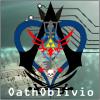
    Your profile picture is sick. Who is that?

    OathOblivio replied

    That's Roxas in Assassin's Creed clothing with two swords. The sword on your left resembles the Oathkeeper and the the one on your right resembles the Oblivion (but it's really hard to see it). I'm a HUGE fan of both Assassin's Creed and Kingdom Hearts, so I found the best of both worlds! Plus, it sorta goes with my username.

  3. OathOblivio posted a status update

    Woohoo! Almost done with summer school!

  4. the way to the heart left a comment on OathOblivio's profile

    hello

Configure browser push notifications

Chrome (Android)
  1. Tap the lock icon next to the address bar.
  2. Tap Permissions → Notifications.
  3. Adjust your preference.
Chrome (Desktop)
  1. Click the padlock icon in the address bar.
  2. Select Site settings.
  3. Find Notifications and adjust your preference.
Scroll to the top