




Jump to content
View in the app

A better way to browse. Learn more.

KH13 · for Kingdom Hearts

A full-screen app on your home screen with push notifications, badges and more.

To install this app on iOS and iPadOS
  1. Tap the Share icon in Safari
  2. Scroll the menu and tap Add to Home Screen.
  3. Tap Add in the top-right corner.
To install this app on Android
  1. Tap the 3-dot menu (⋮) in the top-right corner of the browser.
  2. Tap Add to Home screen or Install app.
  3. Confirm by tapping Install.

Stitches7769

Verified Member
  • Joined

  • Last visited

  1. Stitches7769 posted a status update

    There's not a lot of metal head anime fans...if you want to talk to one...congrats...you found the one in a million one

    Lady Aleister replied

    Neko doesn't care >_>

    ReikuSSR replied

    Do you listen to Gargoyle?

    Stitches7769 replied

    nah, i don't listen to J metal, i'm into bands like- Panteria, slipknot, anthrax, chimeria, killswitch engage, mega deth (yes it's spelt wrong on intentionally) metallica, nine inch nails, Nirvana (even though there not metal I like all types of rock except for this new emo s**t), ETC.

  2. Stitches7769 posted a status update

    Just sitting here...listening to Pantera...

    Stitches7769 replied

    i know pantera is good for me

  3. Stitches7769 posted a status update

    Being bored...

  4. Stitches7769 posted a status update

    I HAVE THE BEST SONG ON AUTO-PLAY!

  5. Stitches7769 posted a status update

    literally bored to DEATH...

  6. Stitches7769 posted a status update

    Nothing like playing Skyrim...while listening to Nirvana...I can tell this is gonna be a good night xP

  7. Stitches7769 posted a status update

    It's Halloween!

  8. Lady Aleister left a comment on Stitches7769's profile

    STALK STALK STALK STALK STALK STALK STALK STALK STALK STALK STALK

    Technically mine too.

    Stitches7769 replied

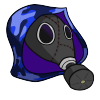
    Grace...were you really that terrified when i showed you my costume from Halloween..?
    Lady Aleister replied

    Yes. AND DONT CALL ME THAT ON THIS WEBSITE.

Configure browser push notifications

Chrome (Android)
  1. Tap the lock icon next to the address bar.
  2. Tap Permissions → Notifications.
  3. Adjust your preference.
Chrome (Desktop)
  1. Click the padlock icon in the address bar.
  2. Select Site settings.
  3. Find Notifications and adjust your preference.
Scroll to the top






