Jump to content
View in the app

A better way to browse. Learn more.

KH13 · for Kingdom Hearts

A full-screen app on your home screen with push notifications, badges and more.

To install this app on iOS and iPadOS
  1. Tap the Share icon in Safari
  2. Scroll the menu and tap Add to Home Screen.
  3. Tap Add in the top-right corner.
To install this app on Android
  1. Tap the 3-dot menu (⋮) in the top-right corner of the browser.
  2. Tap Add to Home screen or Install app.
  3. Confirm by tapping Install.

Guidinglight

Verified Member
  • Joined

  • Last visited

  1. Guidinglight posted a status update

    FFX HD playthrough going, Still the game is Masterpiece

    Joker replied

    wht about x-2

    Guidinglight replied

    FFX lot better for me.


  2. Guidinglight posted a status update

    KH 2.5 wish there would be undub.

  3. Guidinglight posted a status update

    Owl city new ep is amazing

  4. Guidinglight posted a status update

    Steam summersale are awesome :)

  5. Guidinglight posted a status update

    E3 hype wohoo :)

    WakingDawn96 replied

    I wish it was E3 now, partly due to the fact that I'm already sick of everyone talking about it and complaining about how far away it is even though it's only a few days more. The other reason is, of course, to find out about games that interests me

    Guidinglight replied

    Yeah.. Im mostly insterested only rpg games and theres gonna lot of them showing there so thats why im exited :)

    WakingDawn96 replied

    And Smash Bros! Don't forget Smash Bros!

  6. Guidinglight posted a status update

    Other Christians here? I really like specially Christian altrock.

    Raziel replied

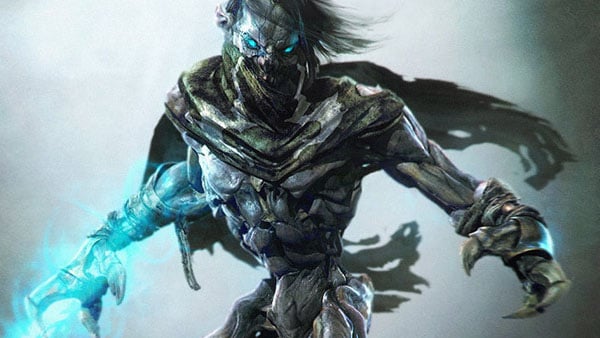
    My name comes from a really cool game called Legacy of Kain! It's super violent and bloody/gory...But fun because you play as a demon in the underworld named Raziel!! xD

    Raziel replied

    square enix makes the series too o_o

  7. Guidinglight posted a status update

    Why this Depression must haunt me so often :/

Configure browser push notifications

Chrome (Android)
  1. Tap the lock icon next to the address bar.
  2. Tap Permissions → Notifications.
  3. Adjust your preference.
Chrome (Desktop)
  1. Click the padlock icon in the address bar.
  2. Select Site settings.
  3. Find Notifications and adjust your preference.
Scroll to the top