






-Justin-
Verified Member
-
Joined
-
Last visited
Everything posted by -Justin-
-
 It’s a kh4 leak ? ?
 -
@Otti#8624 https://www.jp.square-enix.com/kingdom/kh_mom/music/index.html
-
No problem!
-
@Plancake the Japanese website has been updated with some confirmed songs, and secret of neverland is one of them!
-
IT DOES I CANT WAIT
I meant Ghost, but same about 7R
it's a game i wish i could play for the first time again!
They're uploaded now! Thanks so much for the pictures!! I made sure to credit you
Otti moment
S a m e
Wave of Darkness is gonna be such a fun song to play!
Y e s I can’t wait
We’ll be getting new medals like this for the sea salt trio soon too ? I’m gonna save my jewels for Roxas
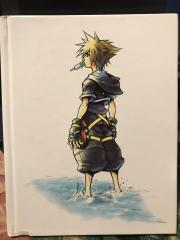
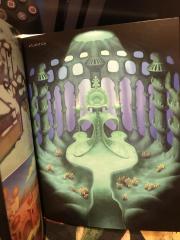
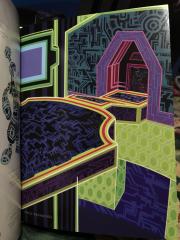
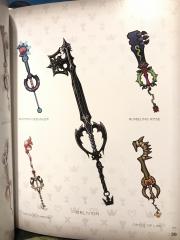
It’s amazing how official this looks!














Account
Search
Configure browser push notifications
Chrome (Android)
- Tap the lock icon next to the address bar.
- Tap Permissions → Notifications.
- Adjust your preference.
Chrome (Desktop)
- Click the padlock icon in the address bar.
- Select Site settings.
- Find Notifications and adjust your preference.
Safari (iOS 16.4+)
- Ensure the site is installed via Add to Home Screen.
- Open Settings App → Notifications.
- Find your app name and adjust your preference.
Safari (macOS)
- Go to Safari → Preferences.
- Click the Websites tab.
- Select Notifications in the sidebar.
- Find this website and adjust your preference.
Edge (Android)
- Tap the lock icon next to the address bar.
- Tap Permissions.
- Find Notifications and adjust your preference.
Edge (Desktop)
- Click the padlock icon in the address bar.
- Click Permissions for this site.
- Find Notifications and adjust your preference.
Firefox (Android)
- Go to Settings → Site permissions.
- Tap Notifications.
- Find this site in the list and adjust your preference.
Firefox (Desktop)
- Open Firefox Settings.
- Search for Notifications.
- Find this site in the list and adjust your preference.
