






-Justin-
Verified Member
-
Joined
-
Last visited
Everything posted by -Justin-
-
 Oh god the one I’m sending now is over 7MB
Tetsora Nomura is here to take you home
Friendship ended with ps5 Now Ps5 Drawing Limited Edition is my best friend
Oh god the one I’m sending now is over 7MB
Tetsora Nomura is here to take you home
Friendship ended with ps5 Now Ps5 Drawing Limited Edition is my best friend
-
 EiKsE7sU4AAxSOB.jpg
-
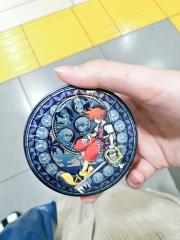 EiKshMCVgAA3FZW.jpg
-
 EiKsFaMVkAEWVYA.jpg
-
 EiKryevVoAE6nFS.jpg
-
 EiKr05HUMAAXK1v.jpg
-
 EiKr2QoU8AEMrmD.jpg
-
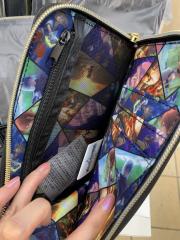 EiKnS5qWAAEtuFy.jpg
-
 EiKnS5mWAAEFgB0.jpg
-
 EiKnS5lXsAANS3P.jpg
-
 EiKnjmvXcAAdpmx.jpg
-
 EiKncsCWkAQ8M4K.jpg
-
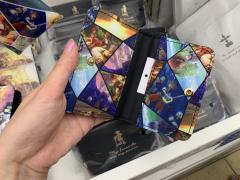 EiKlQHCXsAAhQbM.jpg
-
 EiKlQEwUYAA5bFS.jpg
-
 EiKlQERU0AA8P78.jpg
-
 EiKclMtU4AAAFcW.jpg
-
 EiKdxTbVoAE5XX5.jpg
-
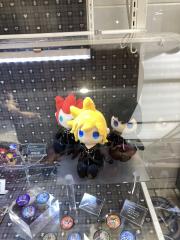 EiKclMsUwAUQF_X.jpg
-
 EiKbYYxUYAYNHLD.jpg
-
 EiKbQdaXsAAViLv.jpg
-
 EiKbQc9UwAArf_b.jpg
@Otti#8624 https://www.jp.square-enix.com/kingdom/kh_mom/music/index.html
No problem!
@Plancake the Japanese website has been updated with some confirmed songs, and secret of neverland is one of them!
Account
Search
Configure browser push notifications
Chrome (Android)
- Tap the lock icon next to the address bar.
- Tap Permissions → Notifications.
- Adjust your preference.
Chrome (Desktop)
- Click the padlock icon in the address bar.
- Select Site settings.
- Find Notifications and adjust your preference.
Safari (iOS 16.4+)
- Ensure the site is installed via Add to Home Screen.
- Open Settings App → Notifications.
- Find your app name and adjust your preference.
Safari (macOS)
- Go to Safari → Preferences.
- Click the Websites tab.
- Select Notifications in the sidebar.
- Find this website and adjust your preference.
Edge (Android)
- Tap the lock icon next to the address bar.
- Tap Permissions.
- Find Notifications and adjust your preference.
Edge (Desktop)
- Click the padlock icon in the address bar.
- Click Permissions for this site.
- Find Notifications and adjust your preference.
Firefox (Android)
- Go to Settings → Site permissions.
- Tap Notifications.
- Find this site in the list and adjust your preference.
Firefox (Desktop)
- Open Firefox Settings.
- Search for Notifications.
- Find this site in the list and adjust your preference.
