





solaris lunarcrux
Verified Member
-
Joined
-
Last visited
Everything posted by solaris lunarcrux
-
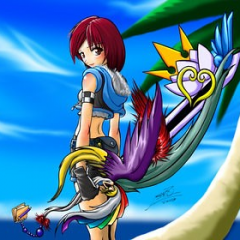 i dont know my current lvl but that would definitely explain it
 -
ah don't think i did that yet
-
i never figured out how to get to that fight as well as xehanorts armor fight, i did defeat eraquis tho
-
I'll find out thx
-
can I get a rig at walmart? for repairs
-
Cannot continue using the application – Disc cannot be read – Make sure the disc is not damaged or dirty. I tried cleaning
-
cause it runs in kh 1 for like 5 min then
-
does this look destroyed ? or just needs repaired?
-
-
-
https://tenor.com/view/pof-nagatoro-ijiranaide-nagatoro-san-kiss-heart-gif-22825902 her
-
-
i know but i still feel its a possibility keyblade or keychain
-
-
i wonder if its possible soras starlight keyblade was from the time of ux
-
-
and xion with 2 become 1 and bond of flame
-
namine with way 2 dawn
-
currently working on 2 projects myself
-
the sturdy kind prob
-
fresh from the forge nice and sharp too
-
almost said nice drawing but then realized it looks way too real to be a drawing metal keyblade
-
-
-
namine and ephemer both got c well i guess its better than f lol
