Jump to content
View in the app

A better way to browse. Learn more.

KH13 · for Kingdom Hearts

A full-screen app on your home screen with push notifications, badges and more.

To install this app on iOS and iPadOS
  1. Tap the Share icon in Safari
  2. Scroll the menu and tap Add to Home Screen.
  3. Tap Add in the top-right corner.
To install this app on Android
  1. Tap the 3-dot menu (⋮) in the top-right corner of the browser.
  2. Tap Add to Home screen or Install app.
  3. Confirm by tapping Install.

KairiandSora

Verified Member
  • Joined

  • Last visited

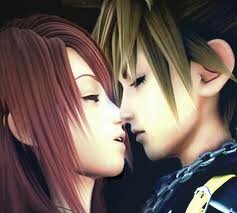
  1. Kairi and Sora better kiss or else I will rage on Square.
  2. Okay, HOLD UP. Kingdom Hearts 3D isn't the last one? But Kingdom Hearts III is? So Sora is seventeen in this one, then, right? Does that make Kingdom Hearts 3D another side-story? 2016?!?! Are you freaking serious?! That's in four years! I swear, if Sora and Kairi don't kiss in this one after four years between II and III, I'm going to rage
  3. Name: Kingdom Hearts and Eyes Open Category: Music videos Short Description: A video with cutscenes from Kingdom Hearts and Kingdom Hearts 2 (all found on this website) made to Taylor Swift's Eyes Open View Video
  4. 08:18 How did Xemnas, Sora, Riku, Donald, and Goofy get back here? And thanks for all these videos!

Configure browser push notifications

Chrome (Android)
  1. Tap the lock icon next to the address bar.
  2. Tap Permissions → Notifications.
  3. Adjust your preference.
Chrome (Desktop)
  1. Click the padlock icon in the address bar.
  2. Select Site settings.
  3. Find Notifications and adjust your preference.
Scroll to the top