Jump to content
View in the app

A better way to browse. Learn more.

KH13 · for Kingdom Hearts

A full-screen app on your home screen with push notifications, badges and more.

To install this app on iOS and iPadOS
  1. Tap the Share icon in Safari
  2. Scroll the menu and tap Add to Home Screen.
  3. Tap Add in the top-right corner.
To install this app on Android
  1. Tap the 3-dot menu (⋮) in the top-right corner of the browser.
  2. Tap Add to Home screen or Install app.
  3. Confirm by tapping Install.

Kumori-kun

Verified Member
  • Joined

  • Last visited

  1. Kumori-kun posted a status update

    I'm BACK

    Ruby Rose replied

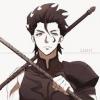
    Your avatar is Lancer!

    I finally know what he's from!

  2. Kumori-kun posted a status update

    Okay lets see who's happy today...If you're happy and you know it clap your hands *clap clap*

  3. Kumori-kun posted a status update

    So my finals are over...4 day weekend here I come!

  4. Kumori-kun posted a status update

    Any recommended roleplays I should join?

  5. Kumori-kun posted a status update

    Woo posting during finals..I should study

  6. Kumori-kun posted a status update

    Drawing keyblades is fun

  7. Ruby Rose left a comment on Kumori-kun's profile

    The Enforcers have control of every world except Port Royal, so feel free to use any one you want! ^^

    Kumori-kun replied

    Got it thanks

    Ruby Rose replied

    You're welcome! ^^

  8. Kumori-kun posted a status update

    Well Im new, though I don't know what the newbie status means

    Welcome, new user!

    Ruby Rose replied

    Welcome! ^^ This site rocks, so you'll have a blast! :D

Configure browser push notifications

Chrome (Android)
  1. Tap the lock icon next to the address bar.
  2. Tap Permissions → Notifications.
  3. Adjust your preference.
Chrome (Desktop)
  1. Click the padlock icon in the address bar.
  2. Select Site settings.
  3. Find Notifications and adjust your preference.
Scroll to the top