




Jump to content
View in the app

A better way to browse. Learn more.

KH13 · for Kingdom Hearts

A full-screen app on your home screen with push notifications, badges and more.

To install this app on iOS and iPadOS
  1. Tap the Share icon in Safari
  2. Scroll the menu and tap Add to Home Screen.
  3. Tap Add in the top-right corner.
To install this app on Android
  1. Tap the 3-dot menu (⋮) in the top-right corner of the browser.
  2. Tap Add to Home screen or Install app.
  3. Confirm by tapping Install.

Sora93

Verified Member
  • Joined

  • Last visited

About Me

http://youtu.be/M-LcnPfzxZU&autoplay=1


Hi I am Sora93 I only just joined Kingdom Hearts 13 and I'm already calling it my home. Do not be afraid to chat with me, I'm a pretty awesome guy! 


My favorite Kingdom Hearts game is Birth By Sleep


I'm 21 years old and I love hanging with my friends, but it's always nice to make more friends. 


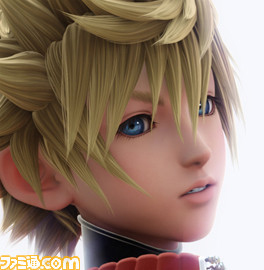
ventus_zps501dccde.jpg


Even though my username is Sora, I a huge fan of Ventus/Roxas 


I don't watch a whole lot of TV because not many shows interest me. I recently got into the Hunger Games books and I'm rereading them ready for the final movie!

Configure browser push notifications

Chrome (Android)
  1. Tap the lock icon next to the address bar.
  2. Tap Permissions → Notifications.
  3. Adjust your preference.
Chrome (Desktop)
  1. Click the padlock icon in the address bar.
  2. Select Site settings.
  3. Find Notifications and adjust your preference.
Scroll to the top