






-Justin-
Verified Member
-
Joined
-
Last visited
Everything posted by -Justin-
-
 I like how Joshua posted this in fanart
twewy ux ?
I like how Joshua posted this in fanart
twewy ux ?
-
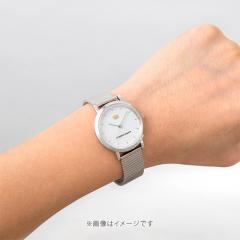 TDKH-405-ME-BL-m-03-pl.jpg
-
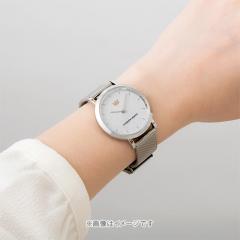 TDKH-405-ME-BL-m-02-pl.jpg
-
 TDKH-405-ME-BL-m-01-pl.jpg
-
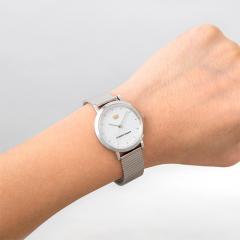 TDKH-405-ME-WH-m-04-pl.jpg
-
 TDKH-405-ME-WH-m-03-pl.jpg
-
 TDKH-405-ME-WH-m-02-pl.jpg
-
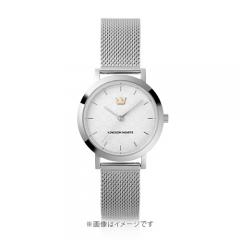 TDKH-405-ME-WH-m-01-pl.jpg
-
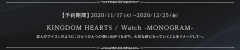 A2DB03FD-2657-4C64-BF27-3FBCB7F6DA4C.png
-
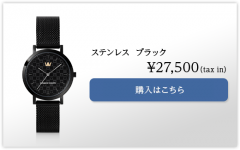 4FBA08CD-4875-453B-ACF2-72AD165C008A.png
-
 081DB2B3-57FC-4682-A3E5-E434D75B9B8E.png
-
 1C90DD7D-3407-40A0-B9FD-BBF43B8AFDD5.png
-
 25FDA04C-5815-4342-9038-62C749902047.png
Oh man, I can’t wait to play it
I can't wait to try 0.2 on it. III feels amazing!
I played KHII on it the other night and
YEAH I GOTTA STOP WHAT I'M DOING JUST TO WATCH THE SNOW FALL
AWESOME I can’t wait to play it
I MANAGED TO SNAG A PS5
IT DOES I can't wait to replay the series on the PS5
Playstation gon make me act up ?
prolly the bald nani theme song
? ?


Account
Search
Configure browser push notifications
Chrome (Android)
- Tap the lock icon next to the address bar.
- Tap Permissions → Notifications.
- Adjust your preference.
Chrome (Desktop)
- Click the padlock icon in the address bar.
- Select Site settings.
- Find Notifications and adjust your preference.
Safari (iOS 16.4+)
- Ensure the site is installed via Add to Home Screen.
- Open Settings App → Notifications.
- Find your app name and adjust your preference.
Safari (macOS)
- Go to Safari → Preferences.
- Click the Websites tab.
- Select Notifications in the sidebar.
- Find this website and adjust your preference.
Edge (Android)
- Tap the lock icon next to the address bar.
- Tap Permissions.
- Find Notifications and adjust your preference.
Edge (Desktop)
- Click the padlock icon in the address bar.
- Click Permissions for this site.
- Find Notifications and adjust your preference.
Firefox (Android)
- Go to Settings → Site permissions.
- Tap Notifications.
- Find this site in the list and adjust your preference.
Firefox (Desktop)
- Open Firefox Settings.
- Search for Notifications.
- Find this site in the list and adjust your preference.
