





SaiGirl01
Verified Member
-
Joined
-
Last visited
Everything posted by SaiGirl01
-
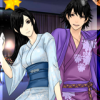
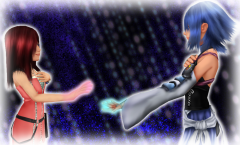 An idea that sprung upon me a few days ago. Took a total of 3 days to get it complete. I used 3D models I have as bases to help me paint in photoshop the way I wanted to. It all worked out in the end. (Models distributed by Kazuki9484 of DeviantArt, copyrights of ownership to Disney, Square Enix and Nomura Tetsuya)
© Characters belong to: Disney, Square Enix, Nomura Tetsuya
-
Been busy lately~ started playing 2.5 again after almost a year, working towards 100% goal!
-
You're welcome~
-
Thank you both I made it last year for my bf and I
-
-
Thanks!
-
I may not be on much, but I do keep up to date with this place ♥
-
I would so buy it! ♥
-
-
-
-
You know you play too much KH when you have to force yourself to stop playing... lol.. who am I kidding, there's no such thing as "too much" for KH!
-
I messed up my username upon signing up, it was supposed to say SaiGirl01, could I have it changed to that please?
-
-
-
Well then =.=' I seriously messed up my username upon joining and I am just now noticing it... it's supposed to say SaiGirl01 not SaiGri01 Dx
-
Indeed
-
Lol, I've made that same typo, except 90% of the time I hit 4 no 3.
-
Thankies! and I noticed
-
Today is my first day with KH13, after many years of following them, I finally decided to join.

