-
*Spoilers* Kingdom Hearts III Re Mind Spoilers Chat
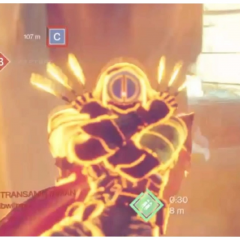
Thats an excellent question. Roxas has quick dodges and attacks. While Sora has that in certain forms such as double and ultima. So base form, my money is on Roxas, if Sora was in any form above id still put it on Roxas
-
*Spoilers* Kingdom Hearts III Re Mind Spoilers Chat
- *Spoilers* Kingdom Hearts III Re Mind Spoilers Chat
Yeah Xemnas was a pushover in that fight for me.- *Spoilers* Kingdom Hearts III Re Mind Spoilers Chat
I handled Roxas pretty well honestly, just had to get out the mindset of charge and ask questions later and actually dodge during most of the fight.- *Spoilers* Kingdom Hearts III Re Mind Spoilers Chat
The YX fight is by far one of my favorites, Larxene and Marluxia are a close after it.- *Spoilers* KH3 Chat
- *Spoilers* KH3 Chat
- Memes Chat
- *Spoilers* Kingdom Hearts III Re Mind Spoilers Chat
Account
Search
Configure browser push notifications
Chrome (Android)
- Tap the lock icon next to the address bar.
- Tap Permissions → Notifications.
- Adjust your preference.
Chrome (Desktop)
- Click the padlock icon in the address bar.
- Select Site settings.
- Find Notifications and adjust your preference.
Safari (iOS 16.4+)
- Ensure the site is installed via Add to Home Screen.
- Open Settings App → Notifications.
- Find your app name and adjust your preference.
Safari (macOS)
- Go to Safari → Preferences.
- Click the Websites tab.
- Select Notifications in the sidebar.
- Find this website and adjust your preference.
Edge (Android)
- Tap the lock icon next to the address bar.
- Tap Permissions.
- Find Notifications and adjust your preference.
Edge (Desktop)
- Click the padlock icon in the address bar.
- Click Permissions for this site.
- Find Notifications and adjust your preference.
Firefox (Android)
- Go to Settings → Site permissions.
- Tap Notifications.
- Find this site in the list and adjust your preference.
Firefox (Desktop)
- Open Firefox Settings.
- Search for Notifications.
- Find this site in the list and adjust your preference.