Jump to content
View in the app

A better way to browse. Learn more.

KH13 · for Kingdom Hearts

A full-screen app on your home screen with push notifications, badges and more.

To install this app on iOS and iPadOS
  1. Tap the Share icon in Safari
  2. Scroll the menu and tap Add to Home Screen.
  3. Tap Add in the top-right corner.
To install this app on Android
  1. Tap the 3-dot menu (⋮) in the top-right corner of the browser.
  2. Tap Add to Home screen or Install app.
  3. Confirm by tapping Install.

Do you like the new YouTube layout?

Posted

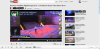
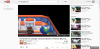
I think the new layout looks HORRIBLE!!! I have to go onto a different link to see my Subscribed videos. And I have to click another link to see only the videos that they upload! Before: post-37521-0-40176100-1354931370_thumb.png  After: post-37521-0-83900700-1354931401_thumb.png  See the difference!! I HATE IT!!!

What do you think of the New YouTube layout? 42 members have voted

  1. 1. Do you like the new YouTube Layout?

    • Yes, it needed a change
    • Ehhh, I think it's okay
    • NOOO!!! IT IS HORRIBLE!!!
    • I don't care. I don't go on YouTube

Please sign in or register to vote in this poll.

Featured Replies

It looks so ugly and unprofessional. Can't they just make up their damn minds?

Im starting to like it more and more but It's not the greatest, It was more meant for Windows 8 and I still refuse to grab that as it's not really great for gaming yet.

I'm getting used to it. And it's growing on me. 


None of the poll options suited my opinion.

Join the conversation

You can post now and register later. If you have an account, sign in now to post with your account.

Guest
Reply to this topic...

Configure browser push notifications

Chrome (Android)
  1. Tap the lock icon next to the address bar.
  2. Tap Permissions → Notifications.
  3. Adjust your preference.
Chrome (Desktop)
  1. Click the padlock icon in the address bar.
  2. Select Site settings.
  3. Find Notifications and adjust your preference.
Scroll to the top