Jump to content
View in the app

A better way to browse. Learn more.

KH13 · for Kingdom Hearts

A full-screen app on your home screen with push notifications, badges and more.

To install this app on iOS and iPadOS
  1. Tap the Share icon in Safari
  2. Scroll the menu and tap Add to Home Screen.
  3. Tap Add in the top-right corner.
To install this app on Android
  1. Tap the 3-dot menu (⋮) in the top-right corner of the browser.
  2. Tap Add to Home screen or Install app.
  3. Confirm by tapping Install.

sora900

Verified Member
  • Joined

  • Last visited

  1. sora900 posted a status update

    i dont know what to get an xbox one or ps4 what would or did you get

  2. sora900 posted a status update

    my clan tag in call of duty black ops 2 is kh13 =)

  3. sora900 posted a status update

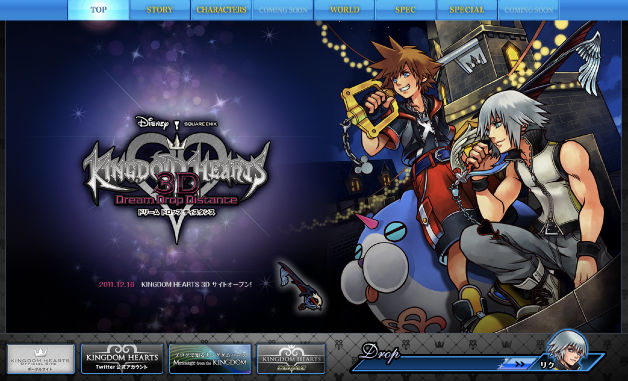
    i wish i had 40 extra bucks to upgrade to destiny limited eition P.S. i love the kh ad on the site or is it just me that sees it

    AuraAce replied

    It's the website.

    WakingDawn96 replied

    I want Destiny as a regular game, but sadly I don't even get that because of Nintendo taking all my money!

  4. sora900 posted a status update

    2 days downloading destiny beta and it ends my god

    On what console?

    sora900 replied

    ps3 i played it on there

    That is too bad, it was spectacular lol.

  5. sora900 posted a status update

    2 days downloading destiny beta and it ends my god

  6. sora900 posted a status update

    im so fancy

    sora900 replied

    but you already know

    Gamerazor247 replied

    I'm the bomb...!

  7. sora900 posted a status update

    hi guys im thinking of getting titanfall for my pc but peopl are saying it gets boring after awhile from experince does anyone know if its boring or it still fun

    Gamerazor247 replied

    Doesn't really matter. Just look at CoD , BF and Halo... People still play

    sora900 replied

    i guess your right i but i think ill stick with gw2

  8. sora900 posted a status update

    hi

  9. sora900 posted a status update

    hi

  10. sora900 posted a status update

    hi

  11. sora900 posted a status update

    hi guys i wanted to go into acting anyone know if any tv show auritions are available

  12. sora900 posted a status update

    i was hoping for mewtwo a smash trailers keep putting me down

    Isaix replied

    He has the Warioware outfit and his own victory theme like Yoshi,but they are still be considered Mario chatacters

    Shulk replied

    I'm pretty sure that Brawl lists both as characters from their own franchises, even though they started in Mario games.

    Isaix replied

    If there are 5 Mario character +5 Yoshi character +5 Wario character in the new Smash bros, I'm pretty sure it would be considered as 15 Mario characters and people would complain that the Mario franchise is overrepresented

  13. sora900 posted a status update

    i have 3 nosgoth keys anyone want any

    sora900 replied

    do you have an email or somthing so i can send it private

    sora900 replied

    did you get it

  14. sora900 posted a status update

    i have 3 nosgoth keys anyone want any

  15. sora900 posted a status update

    i think their sould be a poll of the day on which version of smash are you getting

    Shulk replied

    There's a good number of people who are, but that's small in comparison to the actual population of the site.

  16. sora900 posted a status update

    who else reacted like this https://www.youtube.com/watch?v=FEVQW_ekwhw

  17. sora900 posted a status update

    anyone wana playany of the following o ps3 with starhawk god of war ascension assassians creed 4

    sora900 replied

    i meant on the ps3 with me

  18. sora900 posted a status update

    pac man in smash whats your thoughts

    Shulk replied

    We all saw it coming... There are other characters I'd rather see (Coughfirstpartycharacterscough)

Configure browser push notifications

Chrome (Android)
  1. Tap the lock icon next to the address bar.
  2. Tap Permissions → Notifications.
  3. Adjust your preference.
Chrome (Desktop)
  1. Click the padlock icon in the address bar.
  2. Select Site settings.
  3. Find Notifications and adjust your preference.
Scroll to the top