




Jump to content
View in the app

A better way to browse. Learn more.

KH13 · for Kingdom Hearts

A full-screen app on your home screen with push notifications, badges and more.

To install this app on iOS and iPadOS
  1. Tap the Share icon in Safari
  2. Scroll the menu and tap Add to Home Screen.
  3. Tap Add in the top-right corner.
To install this app on Android
  1. Tap the 3-dot menu (⋮) in the top-right corner of the browser.
  2. Tap Add to Home screen or Install app.
  3. Confirm by tapping Install.

CaptFancyPants

Member
  • Joined

  • Last visited

About Me

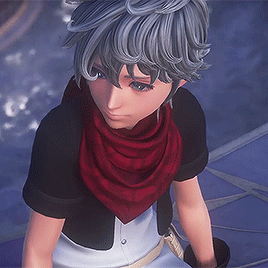
Hiya! My name is Ridgely, and I'm a really big KH fan. My favorite game from the series is defenitely Kingdom Hearts II, and my favorite Keychain is a tie between Two Become One and Starlight. I love Roxas, Sora, and Ephemer. 
I know Kingdom Hearts III was pretty divisive for a lot of fans, but I thought it was an overall quality game with some pretty big writing flaws. I wanted more in terms of gameplay but I honestly don't think they had to the time or resources to deliver the massive product that so many of us wanted. Overall I think it was a great game, just not the envisioned perfect KHIII that had gotten hyped. I won't give it a number or letter rating because I think it's a more complex issue than that. I just wanna see more positivity about the game.

Configure browser push notifications

Chrome (Android)
  1. Tap the lock icon next to the address bar.
  2. Tap Permissions → Notifications.
  3. Adjust your preference.
Chrome (Desktop)
  1. Click the padlock icon in the address bar.
  2. Select Site settings.
  3. Find Notifications and adjust your preference.
Scroll to the top