





thatoneguybackthere_1564535556
Verified Member
-
Joined
-
Last visited
Everything posted by thatoneguybackthere_1564535556
-
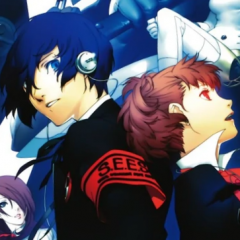 My copy of neo twewy is on the way
 -
That and they probably don't know who hope is Noctis is way more recent still
-
And she's in damn near every game
Ah, this is looking exactly like Twitter now if FF7 is ever brought up Alright well maybe not that bad, nobody's getting doxxed.....right?
You should already know people have no idea who makes these games when people think Nomura is directing every game.
I want Red Velvet Cake now
I thought the Upgrade to the PS5 version was free? Oh, then I'm fine then
Can't remember if I shared the bleach news or not
Based
Probably not.
Thought that was just Dead Space
Account
Search
Configure browser push notifications
Chrome (Android)
- Tap the lock icon next to the address bar.
- Tap Permissions → Notifications.
- Adjust your preference.
Chrome (Desktop)
- Click the padlock icon in the address bar.
- Select Site settings.
- Find Notifications and adjust your preference.
Safari (iOS 16.4+)
- Ensure the site is installed via Add to Home Screen.
- Open Settings App → Notifications.
- Find your app name and adjust your preference.
Safari (macOS)
- Go to Safari → Preferences.
- Click the Websites tab.
- Select Notifications in the sidebar.
- Find this website and adjust your preference.
Edge (Android)
- Tap the lock icon next to the address bar.
- Tap Permissions.
- Find Notifications and adjust your preference.
Edge (Desktop)
- Click the padlock icon in the address bar.
- Click Permissions for this site.
- Find Notifications and adjust your preference.
Firefox (Android)
- Go to Settings → Site permissions.
- Tap Notifications.
- Find this site in the list and adjust your preference.
Firefox (Desktop)
- Open Firefox Settings.
- Search for Notifications.
- Find this site in the list and adjust your preference.
