




Jump to content
View in the app

A better way to browse. Learn more.

KH13 · for Kingdom Hearts

A full-screen app on your home screen with push notifications, badges and more.

To install this app on iOS and iPadOS
  1. Tap the Share icon in Safari
  2. Scroll the menu and tap Add to Home Screen.
  3. Tap Add in the top-right corner.
To install this app on Android
  1. Tap the 3-dot menu (⋮) in the top-right corner of the browser.
  2. Tap Add to Home screen or Install app.
  3. Confirm by tapping Install.

Featured Replies

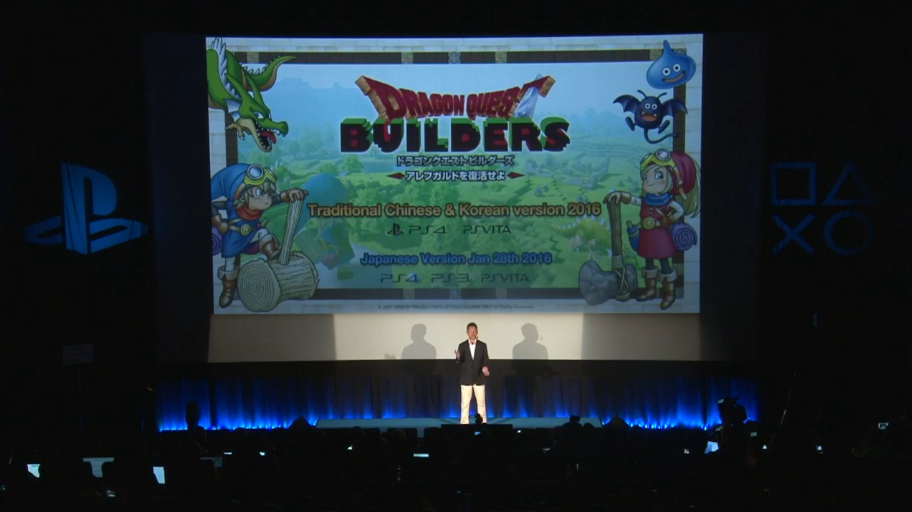
To be honest, this is one of the few DQ games I could see Enix deciding to release outside Japan. Minecraft is pretty popular in the West, and this would be a good way for them to get a lot more sales. As someone who can't stand Minecraft, I'm actually looking forward to this one. Just hoping that they'll actually be more open to localizing other entries in the series from now on...

  • Author

To be honest, this is one of the few DQ games I could see Enix deciding to release outside Japan. Minecraft is pretty popular in the West, and this would be a good way for them to get a lot more sales. As someone who can't stand Minecraft, I'm actually looking forward to this one. Just hoping that they'll actually be more open to localizing other entries in the series from now on...


I feel the same.


And they're open. They're open to localizing Slime 3 on 3DS if DQ Heroes sells well. They'll localize VIII for 3DS, don't worry.

Join the conversation

You can post now and register later. If you have an account, sign in now to post with your account.

Guest
Reply to this topic...

Configure browser push notifications

Chrome (Android)
  1. Tap the lock icon next to the address bar.
  2. Tap Permissions → Notifications.
  3. Adjust your preference.
Chrome (Desktop)
  1. Click the padlock icon in the address bar.
  2. Select Site settings.
  3. Find Notifications and adjust your preference.
Scroll to the top
