




Jump to content
View in the app

A better way to browse. Learn more.

KH13 · for Kingdom Hearts

A full-screen app on your home screen with push notifications, badges and more.

To install this app on iOS and iPadOS
  1. Tap the Share icon in Safari
  2. Scroll the menu and tap Add to Home Screen.
  3. Tap Add in the top-right corner.
To install this app on Android
  1. Tap the 3-dot menu (⋮) in the top-right corner of the browser.
  2. Tap Add to Home screen or Install app.
  3. Confirm by tapping Install.

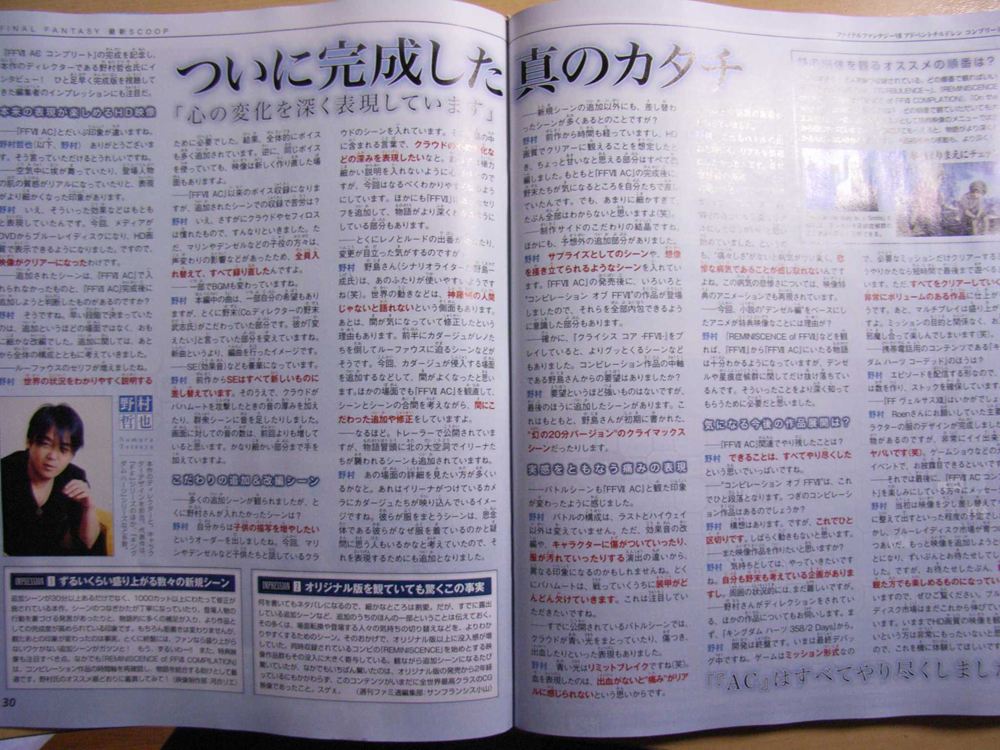
Tetsuya Nomura interview.

An interview with the director of the Kingdom Hearts series, Tetsuya Nomura, was published in the latest issue of Famitsu Weekly. FF7AC reunion have scanned the interview, and HEARTSTATION.ORG have translated it. You can view the original below, and the translation at our forum.

User Feedback

Recommended Comments

kairiwilson1

Verified Member

hmm...i wonder what the announcement is...

im-axel-fear-me-NOW

Verified Member

darnit i HATE suspence!!!!!!!!!!!!!!!!!!!!!!!!!!!!!!!!!!!!!!!!! *pouts*

e-no91

Verified Member

yay! even nomura-san is excited abt the multiplayer mode!!!~~~xD

e-no91

Verified Member

..........seriously..that's not nice....

xP

Kairi-loves-Sushi

Verified Member

OMG! If he says anything tomorrow, DON"T BELIEVE IT!!! Tomorrow's April Fools!!! I'm going to hide in my closet tomorrow!!!


P.S. (at Fansunu) I LOVE UR SIG!!!! lol! BANANA!

e-no91

Verified Member


P.S. (at Fansunu) I LOVE UR SIG!!!! lol! BANANA!


OH LOL! i just realize that!!!

Luzzekatt

Verified Member


P.S. (at Fansunu) I LOVE UR SIG!!!! lol! BANANA!


OH LOL! i just realize that!!!


LMAO! that was really funny!!! b-b-but .. but in a strange kinda way ... I like mine better ... (horrible english alert!!!!!)

kairiwilson1

Verified Member


P.S. (at Fansunu) I LOVE UR SIG!!!! lol! BANANA!


w00t!!!!!

BANANA!!!!!

xD XD xD XD xD

Join the conversation

You can post now and register later. If you have an account, sign in now to post with your account.

Guest
Add a comment...

Configure browser push notifications

Chrome (Android)
  1. Tap the lock icon next to the address bar.
  2. Tap Permissions → Notifications.
  3. Adjust your preference.
Chrome (Desktop)
  1. Click the padlock icon in the address bar.
  2. Select Site settings.
  3. Find Notifications and adjust your preference.
Scroll to the top