Jump to content
View in the app

A better way to browse. Learn more.

KH13 · for Kingdom Hearts

A full-screen app on your home screen with push notifications, badges and more.

To install this app on iOS and iPadOS
  1. Tap the Share icon in Safari
  2. Scroll the menu and tap Add to Home Screen.
  3. Tap Add in the top-right corner.
To install this app on Android
  1. Tap the 3-dot menu (⋮) in the top-right corner of the browser.
  2. Tap Add to Home screen or Install app.
  3. Confirm by tapping Install.

roxas15961

Verified Member
  • Joined

  • Last visited

Everything posted by roxas15961

  1. awwww that sucks hope you have an awesome christmas
  2. OH MY GLOB! I LOVE AXEL SOO MUCH I CAN'T WAIT TO SEE HIM AGAIN! AXEL~ HE'S MY FAVORITE AND HE'S SEXY
  3. they better release it for more than one console because i am not getting a ps3 screw that all i have is a wii, dsi, and a 3ds and i am going to play kingdom hearts 3 if its the last thing i do
  4. roxas and namine! i can't stand sora and kairi they are very annoying i know they are they same people but sora and kairi are just irritating
  5. i really hope that there is more roxas, namine, and axel they are my favorite characters
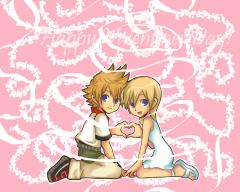
  6. i think roxas and namine are an extremly cute couple. i think they are a couple because if you watch the kingdom hearts two ending with sora turning into roxas and kairi turning into namine kinda of proves that they belong together. to be honest i like roxas and namine better than sora and kairi.

Configure browser push notifications

Chrome (Android)
  1. Tap the lock icon next to the address bar.
  2. Tap Permissions → Notifications.
  3. Adjust your preference.
Chrome (Desktop)
  1. Click the padlock icon in the address bar.
  2. Select Site settings.
  3. Find Notifications and adjust your preference.
Scroll to the top