




Darkshadow8500
Verified Member
-
Joined
-
Last visited
-
 my notifications take to long i have 3 notifications waiting for me what gives
 -
Kingdom Hearts HD 2.5 reMIX what happens to kingdom hearts dream drop distance?
-
-
Kingdom Hearts III should be released in 2014 because many sources claim that this game was in development since 2010 and to me that's a very good amount of time to develop a very important game like this. Heres what i dont get, most people are acting like it just started developing last year ago when E3 announced KH3 AND FF15 and yet most sources say its been in developed since 2010 including this website, I also wonder how or where they know that its been developed since 2010 which was when birth by sleep was released so why the longer wait they should just release the game in either late 2014 or early 2015.
-
-
-
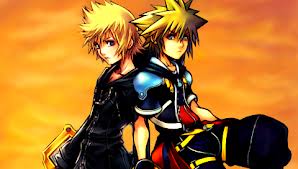
SPOILER ALERT! I hope not because in Kingdom Hearts II before you fight Xemnas dragon wihile Riku is driving on a ride along with Sora roxasre unites with Sora. Plus in Dream Drop Distance Roxas and Sora meet and Sora talks about how Roxas can be his own person and in 358/2 Days Xion dies and asks Roxas one more favor and the favor was to protect Kingdom Hearts from the darkness. Well that was a massive amout of SPOILERS. For your information I give credit to Kingdom Hearts, DIsney and Square Enix and i dont own Kingdom Hearts nor Square Enix and nor Disney.
-
My comparisons with naruto/kingdom hearts characters would be these Naruto/Sora Sasuke/Roxas( because both were in the main evil organization, Someone special to them died ( Itachi and Xion) and told them that they must protect a special place or thing ( Kingdom Hearts and The Hidden Leaf Village) from evil forces like Organization 13 and the Akatuski), Akatuski/Organization 13 Itachu/Saix Sai/Namine Madara/Master Xehanort Obito/Vanitas Kakashi/Riku And those are all the characters that I think are really resemble each other.
