






-Justin-
Verified Member
-
Joined
-
Last visited
Everything posted by -Justin-
-
 Some of my friends had to see this and now you all do too enjoy
 -
-
I MANAGED TO SNAG A PS5
-
-
Playstation gon make me act up ?
-
prolly the bald nani theme song
? ?
?
Change da world my final message. there will be melodies and memories
Yes
Here’s a spoiler there will be melodies and there will be memories ?
I finally got A+++ on all proud levels
I just did that, and it was fun but I can’t imagine trying that with a fast song or even a higher difficulty at that
-
 pic_l-1.jpg
-
 pic_l.jpg
-
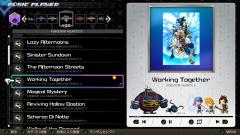 item4_pic1_l.jpg
-
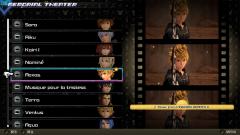 item3_pic1_l.jpg
-
 item3_pic1_l-1.jpg
-
 item2_pic1_l.jpg
-
 item1_pic2_l.jpg
-
 item1_pic1_l.jpg
-
 item3_pic_l-1.jpg
-
 item2_pic_l
-
 item1_pic_l.jpg
-
 item2_pic_l-1.jpg
-
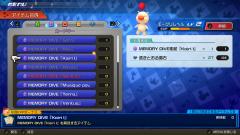 item1_pic_l-1.jpg
-
.jpg.d8ad28506109a8b00f67f310f7c77701.jpg) item2_pic1_l (2).jpg
item2_pic1_l (2).jpg
-
 item1_pic1_l.jpg
-
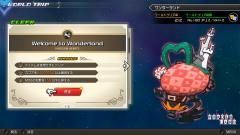 item1_pic2_l.jpg
-
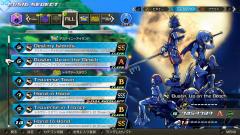 item2_pic1_l.jpg
-
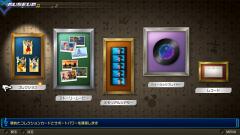 item3_pic1_l.jpg
-
.jpg.38baab6d552f5ffc7eaf8dbe86f6f527.jpg) item1_pic1_l (1).jpg
item1_pic1_l (1).jpg
-
.jpg.d4d46802117f76ff36954ae6dbdf80aa.jpg) item2_pic1_l (1).jpg
item2_pic1_l (1).jpg
Same ?
Account
Search
Configure browser push notifications
Chrome (Android)
- Tap the lock icon next to the address bar.
- Tap Permissions → Notifications.
- Adjust your preference.
Chrome (Desktop)
- Click the padlock icon in the address bar.
- Select Site settings.
- Find Notifications and adjust your preference.
Safari (iOS 16.4+)
- Ensure the site is installed via Add to Home Screen.
- Open Settings App → Notifications.
- Find your app name and adjust your preference.
Safari (macOS)
- Go to Safari → Preferences.
- Click the Websites tab.
- Select Notifications in the sidebar.
- Find this website and adjust your preference.
Edge (Android)
- Tap the lock icon next to the address bar.
- Tap Permissions.
- Find Notifications and adjust your preference.
Edge (Desktop)
- Click the padlock icon in the address bar.
- Click Permissions for this site.
- Find Notifications and adjust your preference.
Firefox (Android)
- Go to Settings → Site permissions.
- Tap Notifications.
- Find this site in the list and adjust your preference.
Firefox (Desktop)
- Open Firefox Settings.
- Search for Notifications.
- Find this site in the list and adjust your preference.
