




All Activity
- Past hour
-

-
-
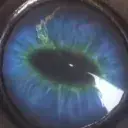 And I believe Tetsuya Nomura has known how the story will go all along
 -
They treat the room in KH 1 as if it were just eerie background scenery yet it had a deeper meaning
-
I’m about to explain yozora
-
 anouku._3 joined the community
 https://klipy.com/gifs/irrelevant-rust
But this isn't really evidence of them being connected tho, this is a big ass machine/object that exists in two places (maybe the same spot if you think HB and Daybreak Town are the same). If anything, it would say that Kairi and Skull are the same since they both are put in the pod and transported else where. There's no connection between Sora and MoM other than they have both seen this machine before
More evidence supporting how the master of masters and Sora could be connected
https://klipy.com/gifs/irrelevant-rust
But this isn't really evidence of them being connected tho, this is a big ass machine/object that exists in two places (maybe the same spot if you think HB and Daybreak Town are the same). If anything, it would say that Kairi and Skull are the same since they both are put in the pod and transported else where. There's no connection between Sora and MoM other than they have both seen this machine before
More evidence supporting how the master of masters and Sora could be connected


 "Lotti" is a cute ship name tho
Just for the love of the game 😌
Oh no that time I meant Otti
this is the third time snake
"Lotti" is a cute ship name tho
Just for the love of the game 😌
Oh no that time I meant Otti
this is the third time snake
- Today
Lmfao that’s not a good philosophy😆
im open i just disagree with everyone because im french
And open to new possibilties
👌🏻I appreciate you for being here so I can explain it to you, just wish you could be a little more optimistic
Account
Search
Configure browser push notifications
Chrome (Android)
- Tap the lock icon next to the address bar.
- Tap Permissions → Notifications.
- Adjust your preference.
Chrome (Desktop)
- Click the padlock icon in the address bar.
- Select Site settings.
- Find Notifications and adjust your preference.
Safari (iOS 16.4+)
- Ensure the site is installed via Add to Home Screen.
- Open Settings App → Notifications.
- Find your app name and adjust your preference.
Safari (macOS)
- Go to Safari → Preferences.
- Click the Websites tab.
- Select Notifications in the sidebar.
- Find this website and adjust your preference.
Edge (Android)
- Tap the lock icon next to the address bar.
- Tap Permissions.
- Find Notifications and adjust your preference.
Edge (Desktop)
- Click the padlock icon in the address bar.
- Click Permissions for this site.
- Find Notifications and adjust your preference.
Firefox (Android)
- Go to Settings → Site permissions.
- Tap Notifications.
- Find this site in the list and adjust your preference.
Firefox (Desktop)
- Open Firefox Settings.
- Search for Notifications.
- Find this site in the list and adjust your preference.
