





Kaiminechan
Verified Member
-
Joined
-
Last visited
-
-

 Kairi as Nagisa Furukawa, Namine as Tomoyo Sakagami, Olette as Fuko Ibuki and Xion as Kotomi Ichinose.
 -
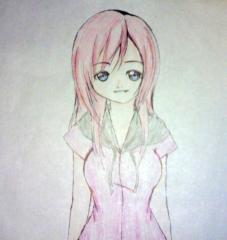 This is from my brother. He really good at drawing.
 -
 LOL! hahahaha!
 -
I'm Kaimine fan ( Kairi and Namine fan in short or combined name ) and Xilette too ( Xion and Olette ). ^-^
-
Hi,KHSonic.Welcome. I hope you enjoy staying here.
-
-
Thank you everyone...
-
 Destati_Dream_XIII reacted to a post in a topic:
I'm weird...you can tell by the characters I like.....^^;
Destati_Dream_XIII reacted to a post in a topic:
I'm weird...you can tell by the characters I like.....^^;
-
Where's Kairi? eh...I want to be Namine
-
Nope.You're not weird.
-
Umm...okay...I try.
-
-
Umm...sometimes I wanted to talk to the other people or my classmate....I little get nervous....but when I am talk to the boys or when he talk to me....I really really get nervous....my heartbeat...beats so fast...I wonder why? I'm shy girl...so I have a few friends only...
-
KH Clannad Theme~~YEah~
-
Second drawing of my brother and I am the one who color it~~Kairi as Nagisa, Namine as Tomoyo, Olette as Fuko and Xion as Kotomi.
© My brother
-
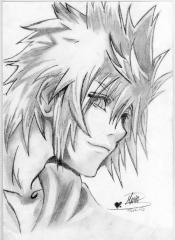 Amazing!
 -
![Sora Kingdom Hearts By barbypornea[1]](https://www.kh13.com/uploads/monthly_2018_10/small.gallery_17947_18_3676.jpg.bedca863f32d4b6e20c3cbd228ee2dce.jpg) wow~~that's great~~amazing~~
wow~~that's great~~amazing~~
