Jump to content
View in the app

A better way to browse. Learn more.

KH13 · for Kingdom Hearts

A full-screen app on your home screen with push notifications, badges and more.

To install this app on iOS and iPadOS
  1. Tap the Share icon in Safari
  2. Scroll the menu and tap Add to Home Screen.
  3. Tap Add in the top-right corner.
To install this app on Android
  1. Tap the 3-dot menu (⋮) in the top-right corner of the browser.
  2. Tap Add to Home screen or Install app.
  3. Confirm by tapping Install.

Blake

Verified Member
  • Joined

  • Last visited

  1. Blake posted a status update

    NEW INFAMOUS!!!! 8D

    Shana09 replied

    JONATHAN BLOW

    Blake replied

    YOU HEARD SON, INFAMOUS: SECOND SON

    Queen Tery replied

    INFAMOUS SECOND SUN?????? THAT SOUNDS BADASSSSSSSS

  2. Blake posted a status update

    killzone 4 inbound

    Blake replied

    lol called it

    Hei replied

    I can't even tell what I'm seeing, the buffering is to much

    Blake replied

    me neither, I just heard gurella so I thought of the next killzone game :)

  3. Blake posted a status update

    hmmm, not bad

  4. Blake posted a status update

    cerny! 8D the man behind the bandicoot!

    Demyx. replied

    DAT MUSIC!

    Blake replied

    so strong.... :O

    bit replied

    I went firetrucking nuts when the theme started playing

  5. Blake posted a status update

    lag is bad '-'

    Shana09 replied

    its not lagging for me

  6. Blake posted a status update

    cheesy jazz lol

    Shana09 replied

    i bet you are happy now, they showed crash

  7. Blake posted a status update

    What's on Keysofblades mind?

    Geralt replied

    The new shipment of Tutus at petsmart.

  8. Blake posted a status update

    *insert hedgehog noises*

  9. Blake posted a status update
    Shana09 replied

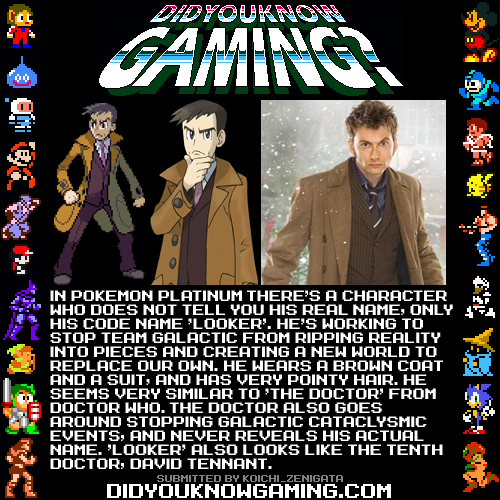
    I don't, but I do love DYKG a lot. xD

    I usually come across their images a lot but never bothered to go to their site.

    Shana09 replied

    great now when I want to do homework im on DKYG =w=

  10. FireRubies1 left a comment on Blake's profile

    SO LIEK no.i SAID TO LOOK AT YOUR PROFILE FOR THE DRAWING AND I NOTICED DISCORD! Awesome :D!

    Blake replied

    hell yeah discord :D!

    Shana09 replied

    YOU MEAN TERRIBLE

    T

    E

    R

    R

    I

    B

    L

    E

  11. Blake posted a status update

    OH NO!

  12. Blake posted a status update

    yeah keys is pretty bad

    Shana09 replied

    does that make me horrible

    Weiss replied

    Keys: Bad

    Everyone else: amazing

    Shana09 replied

    Everyone else: Amazing

    Keys: Better than Shana

    Shana: Horrendous

  13. Blake posted a status update

    everyone is lying

    Weiss replied

    but that means you're lying

    Blake replied

    I'm discord, am I supposed to tell the truth >;3

  14. Blake posted a status update

    XAOY STAHP

    Kirie replied

    ZTAR STAHP

  15. Blake posted a status update

    Keysofblades Alagoth Keysofblades: Lt.Random: What if DC's letting me keep this pic because distracts people while he gets more time with Aaron :O Today, 01:30 AM Today, 01:30 AM

    Blake replied

    ¯\_(ツ)_/¯

  16. Blake posted a status update

    Sly 4, why you steal my social life?

    Blake replied

    (what he think?)


    sorry, yesterday was when I played sly 4 from 12 pm to 5am :>

    and I woke up late today, watched TV a lot. now I'm on here :D

    Shana09 replied

    (he didn't say anything, he may or may not have seen it xD)


    xD well i hope you had fun

    yeah ur on, when I'm supposed to sleep D8

    i gtg nowwwww

    byeeeee

    be on tomorrow >8U

    Blake replied

    sure >83


    maybe, I have to beat sly 2 in under 8 hours..... '-'

  17. Blake posted a status update

    *pukes

  18. Blake posted a status update

    monkey

Configure browser push notifications

Chrome (Android)
  1. Tap the lock icon next to the address bar.
  2. Tap Permissions → Notifications.
  3. Adjust your preference.
Chrome (Desktop)
  1. Click the padlock icon in the address bar.
  2. Select Site settings.
  3. Find Notifications and adjust your preference.
Scroll to the top