




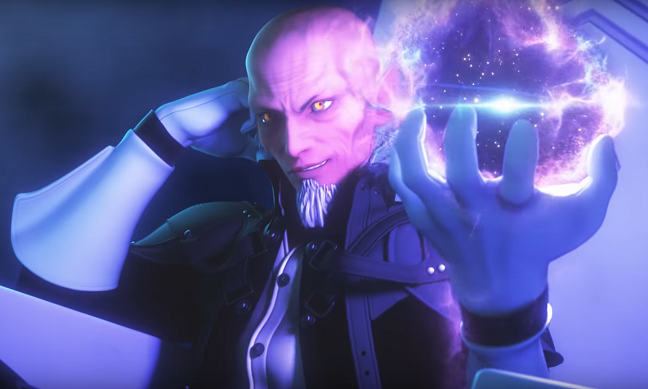
Demyx.
Verified Member
-
Joined
-
Last visited
Everything posted by Demyx.
-
 He has the balls of a hero
 -
He even tried to chokeslam Kane once.
-
Winner... Those poo particles... Rob. I know. I loved him when he showed up.
-
-
Specially since he died working for them.
-
It's about time. He deserves it. He is the greatest of all time.
-
HELL YES!
-
Also that growl and yell at the end of his story.
-
-
I think 4 is more fun than 3. 3 is too emo boyish. But its still pretty goood.
Um...Thats an 80s haircut...SHEEESH...
Megaman X
Just watched it. Whats wrong with it?
As long as you use it well. It's the greatest name
No worries. That aint shit.
awww shit.
Thank you.
I love Atlantica in KH2. It's a nice change of pace. In KH1 it was just boring. and how could you not love, "Sorry mommy your poopsies are toast!"

Account
Search
Configure browser push notifications
Chrome (Android)
- Tap the lock icon next to the address bar.
- Tap Permissions → Notifications.
- Adjust your preference.
Chrome (Desktop)
- Click the padlock icon in the address bar.
- Select Site settings.
- Find Notifications and adjust your preference.
Safari (iOS 16.4+)
- Ensure the site is installed via Add to Home Screen.
- Open Settings App → Notifications.
- Find your app name and adjust your preference.
Safari (macOS)
- Go to Safari → Preferences.
- Click the Websites tab.
- Select Notifications in the sidebar.
- Find this website and adjust your preference.
Edge (Android)
- Tap the lock icon next to the address bar.
- Tap Permissions.
- Find Notifications and adjust your preference.
Edge (Desktop)
- Click the padlock icon in the address bar.
- Click Permissions for this site.
- Find Notifications and adjust your preference.
Firefox (Android)
- Go to Settings → Site permissions.
- Tap Notifications.
- Find this site in the list and adjust your preference.
Firefox (Desktop)
- Open Firefox Settings.
- Search for Notifications.
- Find this site in the list and adjust your preference.
