





XIIIBlades
Verified Member
-
Joined
-
Last visited
-
 I hope this is a sign of a sequel.
 -
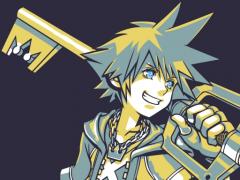 Cool picture Bro
 -
-
XIIIBlades replied to KurtisDude0309's topic Kingdom Hearts Dream Drop Distance HD (Kingdom Hearts 3D)Playing wise: Ventus, because his command styles and other abilities are the easiest for me to use. Persona wise: Roxas, because he's awesome. nuff' said.
-
Riku, because he has an awesome command deck.
-
XIIIBlades replied to Velvet Scarlatina's topic Kingdom Hearts Dream Drop Distance HD (Kingdom Hearts 3D)I should have noticed seeing as I had to retry like 50 Times.....
-
XIIIBlades replied to Gamerazor247's topic Kingdom Hearts Dream Drop Distance HD (Kingdom Hearts 3D)I wouldn't mind another KH handheld, but it's about time to go back to console games.
-
35 for Riku, and 58 for Sora, the only reason I won with riku is because of a glitch.

