




All Activity
- Past hour
-
 https://vxtwitter.com/DiscussingFilm/status/2124869369201074468 this fight looks so fun
-
 he did all of this just to get a weekend off to play gta6
-
 He's back home. https://vxtwitter.com/nvidianewsroom/status/2124865060397019480
-
 Didn't even last two weeks
- Today
10 minutes till the final Doomsday trailer.
Man there are some insane puzzles in this
https://vxtwitter.com/MemeioYT/status/2124773456231444900 i wonder where he got this from its literally the only video on the internet that showed this controller almost 0 evidence that it exists at all at nintendo.com
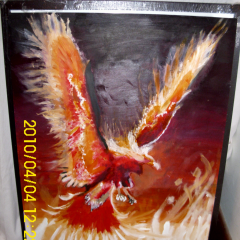
https://www.tumblr.com/petday/834049509296308224/amaura-for-my-friend


 <https://twitch.tv/firemasterlucky>
Across had it slightly but its nothing anything more but a acknowledgement
 I swear I remember them talking about Beyond the Spider-Verse having some interaction with the MCU but maybe I'm tripping
that would be INSANE if they manage to pull that off lol
i highly doubt it does
Depends on if Beyond the Spider-Verse does anything with Secret Wars
Account
Search
Configure browser push notifications
Chrome (Android)
- Tap the lock icon next to the address bar.
- Tap Permissions → Notifications.
- Adjust your preference.
Chrome (Desktop)
- Click the padlock icon in the address bar.
- Select Site settings.
- Find Notifications and adjust your preference.
Safari (iOS 16.4+)
- Ensure the site is installed via Add to Home Screen.
- Open Settings App → Notifications.
- Find your app name and adjust your preference.
Safari (macOS)
- Go to Safari → Preferences.
- Click the Websites tab.
- Select Notifications in the sidebar.
- Find this website and adjust your preference.
Edge (Android)
- Tap the lock icon next to the address bar.
- Tap Permissions.
- Find Notifications and adjust your preference.
Edge (Desktop)
- Click the padlock icon in the address bar.
- Click Permissions for this site.
- Find Notifications and adjust your preference.
Firefox (Android)
- Go to Settings → Site permissions.
- Tap Notifications.
- Find this site in the list and adjust your preference.
Firefox (Desktop)
- Open Firefox Settings.
- Search for Notifications.
- Find this site in the list and adjust your preference.
