Jump to content
View in the app

A better way to browse. Learn more.

KH13 · for Kingdom Hearts

A full-screen app on your home screen with push notifications, badges and more.

To install this app on iOS and iPadOS
  1. Tap the Share icon in Safari
  2. Scroll the menu and tap Add to Home Screen.
  3. Tap Add in the top-right corner.
To install this app on Android
  1. Tap the 3-dot menu (⋮) in the top-right corner of the browser.
  2. Tap Add to Home screen or Install app.
  3. Confirm by tapping Install.
  • Replies 2k
  • Views 315.1k
  • Created
  • Last Reply

Top Posters In This Topic

Most Popular Posts

Posted Images

Featured Replies

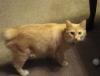
Y'know I'm done trying to figure out what the f-ck my cat is doing.


Posted Image


I love my baby <3<3<3


AND NO SHE WASN'T LYING DOWN. SHE WAS FYCKING SITTING DOING THIS.

Y'know I'm done trying to figure out what the f-ck my cat is doing.


Posted Image


I love my baby <3<3<3


AND NO SHE WASN'T LYING DOWN. SHE WAS FYCKING SITTING DOING THIS.

Cute XDD


Posted Image

GAHAHAHAHAHAAHA SOOOOO MUCH KAWAIIIIIIIIIIIIIIIIII
Posted Image

Posted Image

This thread needs more fairy xD x3;;

Posted Imageonly picture i have of my cat as a kitten TT_TT miss you so much little guy

Edited by darkchaser

Posted Imageonly picture i have of the cat as a kitten TT_TT miss you so much little guy

;___________;

Posted Image

I just love this pokemon heehee x)

THE CUTENESS.Posted Image

Posted Image

Edited by I♥KH

  • 3 weeks later...

Posted Image

Bow before our lion king you know you wanna... ;D

Edited by ~DawnStar2004~

Posted Image

what can i say i think my pup has a problem Posted Image

Posted Image

Cotten Candy Puppy XDDD

Configure browser push notifications

Chrome (Android)
  1. Tap the lock icon next to the address bar.
  2. Tap Permissions → Notifications.
  3. Adjust your preference.
Chrome (Desktop)
  1. Click the padlock icon in the address bar.
  2. Select Site settings.
  3. Find Notifications and adjust your preference.
Scroll to the top