



Jump to content
View in the app

A better way to browse. Learn more.

KH13 · for Kingdom Hearts

A full-screen app on your home screen with push notifications, badges and more.

To install this app on iOS and iPadOS
  1. Tap the Share icon in Safari
  2. Scroll the menu and tap Add to Home Screen.
  3. Tap Add in the top-right corner.
To install this app on Android
  1. Tap the 3-dot menu (⋮) in the top-right corner of the browser.
  2. Tap Add to Home screen or Install app.
  3. Confirm by tapping Install.

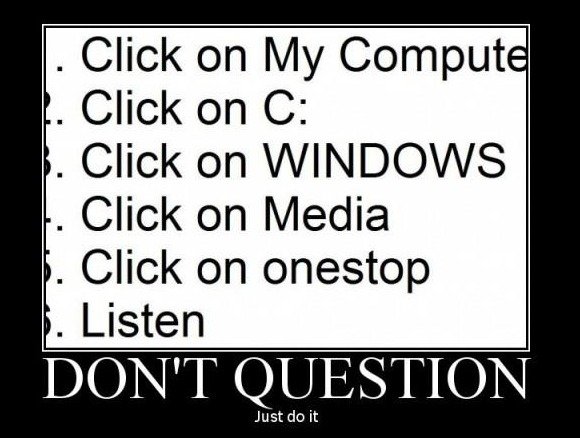
What... the... I don't even...

Featured Replies

A broken image!

Sounds like your computer's asking you to infect it with a terrable virus xD

oh OH OH OH OH !! ITS AN X! I WIN I WIN I WIN........ what did i win

oh OH OH OH OH !! ITS AN X! I WIN I WIN I WIN........ what did i win

A COMPUTER VIRUS

8D

What happens when you do it?

What the....?

Actually, it ain't half bad

Led me to a music file... Has some pretty catchy tunes in it!

The start reminded me of Pokemon Mystery Dungeon, then it goes to something that sounds like what would play when Mario walks the streets of the Mushroom Kingdom at night, looking to beat up dem Koopas. Then... I'm done. xD This is amazing though.

Now someone please walk in with a cape and monocle 

New virus; Fairy Pokemon, slaying all your Dragon type hardware!


PSYCHE OUT!!!!


8D

Configure browser push notifications

Chrome (Android)
  1. Tap the lock icon next to the address bar.
  2. Tap Permissions → Notifications.
  3. Adjust your preference.
Chrome (Desktop)
  1. Click the padlock icon in the address bar.
  2. Select Site settings.
  3. Find Notifications and adjust your preference.
Scroll to the top

