



Jump to content
View in the app

A better way to browse. Learn more.

KH13 · for Kingdom Hearts

A full-screen app on your home screen with push notifications, badges and more.

To install this app on iOS and iPadOS
  1. Tap the Share icon in Safari
  2. Scroll the menu and tap Add to Home Screen.
  3. Tap Add in the top-right corner.
To install this app on Android
  1. Tap the 3-dot menu (⋮) in the top-right corner of the browser.
  2. Tap Add to Home screen or Install app.
  3. Confirm by tapping Install.

Featured Replies

This topic tho......

  • Author

This topic tho......


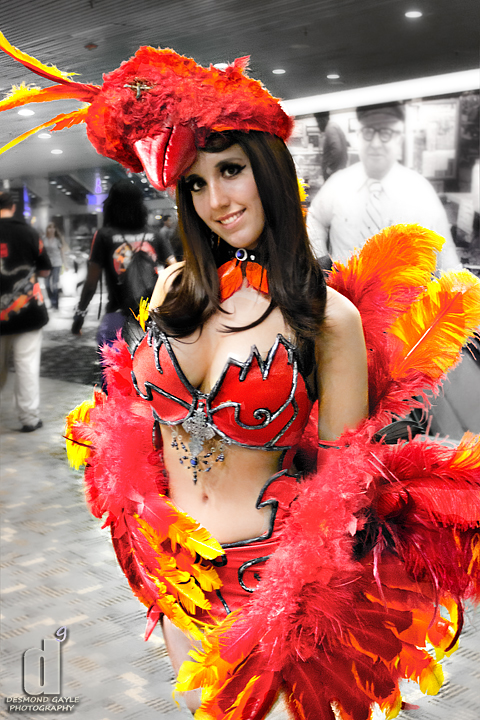
Yes? It's sexy.

Okay... but what makes her finally useful? I don't get it.

Okay... but what makes her finally useful? I don't get it.

A way to get cosplayers in skimpy outfits I guess. xD


This part is directed at Sora96*


Which is fun and such but I have to add this since I'm a girl who cosplays:


Cosplayers dress up for fun, even if the outfit is revealing, because the character wears that. You can look but you shouldn't constantly stare or touch them because that would make feel extremely uncomfortable given you are a stranger, Just advice if you ever see this at a con in real life, they're people as well.

Edited by KittensOnFire

You happen to be a Nigri fan by any chance?

  • Author

You happen to be a Nigri fan by any chance?


What?

What?

Posted Image

Jessica Nigri. She has an extremely large fanbase for many different reasons, one being the obvious. She's an amazing cosplayer.

  • Author

Posted Image

Jessica Nigri. She has an extremely large fanbase for many different reasons, one being the obvious. She's an amazing cosplayer.


I see. And nope.

Join the conversation

You can post now and register later. If you have an account, sign in now to post with your account.

Guest
Reply to this topic...

Configure browser push notifications

Chrome (Android)
  1. Tap the lock icon next to the address bar.
  2. Tap Permissions → Notifications.
  3. Adjust your preference.
Chrome (Desktop)
  1. Click the padlock icon in the address bar.
  2. Select Site settings.
  3. Find Notifications and adjust your preference.
Scroll to the top

