Jump to content
View in the app

A better way to browse. Learn more.

KH13 · for Kingdom Hearts

A full-screen app on your home screen with push notifications, badges and more.

To install this app on iOS and iPadOS
  1. Tap the Share icon in Safari
  2. Scroll the menu and tap Add to Home Screen.
  3. Tap Add in the top-right corner.
To install this app on Android
  1. Tap the 3-dot menu (⋮) in the top-right corner of the browser.
  2. Tap Add to Home screen or Install app.
  3. Confirm by tapping Install.
  • Replies 57
  • Views 4.7k
  • Created
  • Last Reply

Top Posters In This Topic

Most Popular Posts

Featured Replies

  • Author

It confirms there are 3 characters and 2 stages planned. It doesn't confirm or deny that these 5 things will be the last.

i never said it would, i hope its not.

I already voted for Azura from Fire Emblem: Fates, as I would like to try her out since I'm getting Fire Emblem: Fates next year, and she's become my favorite Fates character.


#Azura4Smash

SHANTAEEEEE!

Posted Image


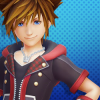
so we only get three characters!!! MORE PEOPLE NEED TO VOTE FOR SORA NOOOWWWW!!!!

Not quite. The third placeholder was only added in the most recent update, and there were also three placeholders before Ryu, Roy, and Lucas were available.

Edited by Sun Wukong


so we only get three characters!!! MORE PEOPLE NEED TO VOTE FOR SORA NOOOWWWW!!!!

Oh God...I need to see Sora in Smash so badly!!! X_X

  • Author

SHANTAEEEEE!

Posted Image


Not quite. The third placeholder was only added in the most recent update, and there were also three placeholders before Ryu, Roy, and Lucas were available.

i don't get it.

never mind. I just it was just my internet acting up. 

Edited by Luke Fon Fabre

Man, I wonder who'll the 3 new DLC characters be?  I'm so excited!!! X_X

Join the conversation

You can post now and register later. If you have an account, sign in now to post with your account.

Guest
Reply to this topic...

Configure browser push notifications

Chrome (Android)
  1. Tap the lock icon next to the address bar.
  2. Tap Permissions → Notifications.
  3. Adjust your preference.
Chrome (Desktop)
  1. Click the padlock icon in the address bar.
  2. Select Site settings.
  3. Find Notifications and adjust your preference.
Scroll to the top