Serife Isik
Verified Member
-
Joined
-
Last visited
Everything posted by Serife Isik
-

-

© square enix disney tetsuya nomura
-
oh ok i can see square enix loves european fans
-
-
why europe 31 march i still wait for it if my nephew get ps4 i wil buy 1.5+25 to hes ps4 when he get it to the ps4
-
i wish kingdom hearts union x support ios 7 on iphone
-

© square enix disney tetsuya nomura
-

© square enix disney tetsuya nomura
-

© square enix disney tetsuya nomura
-
welcom back
-
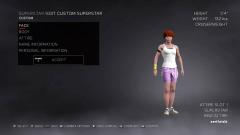
 i made this is in my drawing first and i transfer my drawing to the game
© square enix disney tetsuya nomura wwe 2k
-

© square enix disney tetsuya nomura
-
i have play ff 10 part 2 and ff 12 on ps2 when i was young
-
-
hall of farme showcase only on pc verion on wwe 2k17 not on ps4 xbox one and xbox 360 and ps3
-
-
-

© disney square enix tetsuya nomura
-
try charge your system to english or danish
-
rember make your account pass strong i have been hacked by a vitam person before
-
-
maybe some one try hack your account make your account pass strong facebook
-
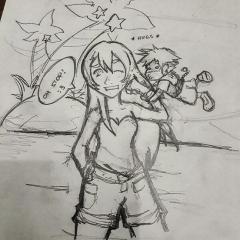 my friend Bill Clinton Baban he made me and chibi sora try hug me
© Bill Clinton Baban square enix disney tetsuya nomura
-

© square enix
-
yes i have wait for this is so long