




All Activity
- Past hour
-

-

-
-
- Yesterday
 Some award shows understand that you should wait to put certain titles as nominees even if they came out just before the end of the year
https://variety.com/2026/film/awards/avengers-doomsday-skips-bafta-golden-globes-vfx-oscars-1236956302/
 https://fixupx.com/VideoArtGame/status/2124949857140089170
https://vxtwitter.com/discussingfilm/status/2125000955506860409?a=IrK8RrmFeoiEiP77wkk&s=46 sucks man
https://fixupx.com/ArtemaSeeker/status/2124972438786330823


 though, I dunno if he couId've puIIed off whatever fight scenes the show wiII have. Large portions of those were usuaIIy hand animated from what I know
it may not be 1:1 but Judge has the buiId, the acting, the expressions (from what I've seen), and the voice obviousIy
 Im just saying, I think it could have worked
Norse Kratos is subtley
 and it seems the actual model is dead
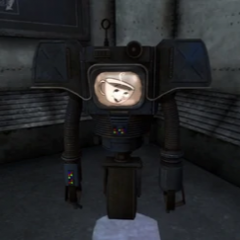 Kratos isn't modeled off them
I was thinking about that this morning and I'm not sure you're gonna like the answer
'sup new friend you got a favorite KH game?
Or even TC Carson who i think is taller than him?
oh, ok so why couldn't Christopher Judge do it then lmao???
Account
Search
Configure browser push notifications
Chrome (Android)
- Tap the lock icon next to the address bar.
- Tap Permissions → Notifications.
- Adjust your preference.
Chrome (Desktop)
- Click the padlock icon in the address bar.
- Select Site settings.
- Find Notifications and adjust your preference.
Safari (iOS 16.4+)
- Ensure the site is installed via Add to Home Screen.
- Open Settings App → Notifications.
- Find your app name and adjust your preference.
Safari (macOS)
- Go to Safari → Preferences.
- Click the Websites tab.
- Select Notifications in the sidebar.
- Find this website and adjust your preference.
Edge (Android)
- Tap the lock icon next to the address bar.
- Tap Permissions.
- Find Notifications and adjust your preference.
Edge (Desktop)
- Click the padlock icon in the address bar.
- Click Permissions for this site.
- Find Notifications and adjust your preference.
Firefox (Android)
- Go to Settings → Site permissions.
- Tap Notifications.
- Find this site in the list and adjust your preference.
Firefox (Desktop)
- Open Firefox Settings.
- Search for Notifications.
- Find this site in the list and adjust your preference.
