




All Activity
- Past hour
-
 Revamped combat and gameplay is interesting
 -
 looks like a whole new game, wild its free
 -




 Which? My joke that cant be real or Witcher 4?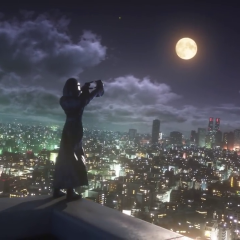
 Maybe it’ll be different
Yeah I mean like one year from now
Closing with gacket/s
Maybe it’ll be different
Yeah I mean like one year from now
Closing with gacket/s again, Nomura is bringing his own vision to life with KH4 atm. he's been wanting to tell this story with Yozora/Noctis/whatever for so long and he's doing it now. If Disney wanted to take over, I don't think this would be the case and KH4 would be looking very different right now
Or very optimistically big man Josh was a fan of the series and wants to dump money into it
It hit the 1B mark so maybe big man Josh wants to milk it
again, Nomura is bringing his own vision to life with KH4 atm. he's been wanting to tell this story with Yozora/Noctis/whatever for so long and he's doing it now. If Disney wanted to take over, I don't think this would be the case and KH4 would be looking very different right now
Or very optimistically big man Josh was a fan of the series and wants to dump money into it
It hit the 1B mark so maybe big man Josh wants to milk it
