




All Activity
- Today
-
 Yes more details on the unvaulting and what we’re getting from the update this Thursday. Hopefully more stuff beyond if they are willing to share right now.
 -

-
 Is that good news then
 -
 Glad that rendition of Hollow is back though
They really are showing a lot
https://vxtwitter.com/FFVIIR_CLOUD/status/2114718693963726891?s=20
Glad that rendition of Hollow is back though
They really are showing a lot
https://vxtwitter.com/FFVIIR_CLOUD/status/2114718693963726891?s=20 https://www.phixiv.net/en/artworks/39180223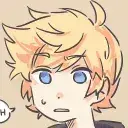
 Gr33n🔪Tea joined the community
Shout out to gr33n.teax3 for this amazing art they made for me
🟠||𝕣𝕠𝕩𝕒𝕤||⚫ joined the community
Gr33n🔪Tea joined the community
Shout out to gr33n.teax3 for this amazing art they made for me
🟠||𝕣𝕠𝕩𝕒𝕤||⚫ joined the community https://klipy.com/gifs/hitchhikers-guide


Account
Search
Configure browser push notifications
Chrome (Android)
- Tap the lock icon next to the address bar.
- Tap Permissions → Notifications.
- Adjust your preference.
Chrome (Desktop)
- Click the padlock icon in the address bar.
- Select Site settings.
- Find Notifications and adjust your preference.
Safari (iOS 16.4+)
- Ensure the site is installed via Add to Home Screen.
- Open Settings App → Notifications.
- Find your app name and adjust your preference.
Safari (macOS)
- Go to Safari → Preferences.
- Click the Websites tab.
- Select Notifications in the sidebar.
- Find this website and adjust your preference.
Edge (Android)
- Tap the lock icon next to the address bar.
- Tap Permissions.
- Find Notifications and adjust your preference.
Edge (Desktop)
- Click the padlock icon in the address bar.
- Click Permissions for this site.
- Find Notifications and adjust your preference.
Firefox (Android)
- Go to Settings → Site permissions.
- Tap Notifications.
- Find this site in the list and adjust your preference.
Firefox (Desktop)
- Open Firefox Settings.
- Search for Notifications.
- Find this site in the list and adjust your preference.
