




All Activity
- Past hour
-
 Square Enix has officially released Kingdom Hearts Collection [I–III] for Nintendo Switch 2, PlayStation 5, Xbox Series X|S, and PC via the Microsoft Store on Windows. Most notably, this package boasts native versions of the games on Switch 2, replacing the cloud-based approach previously used on the first Switch. Moreover, there is now a native version of Kingdom Hearts HD 1.5+2.5 ReMIX for the original Switch. The collection includes Kingdom Hearts HD 1.5+2.5 ReMIX, Kingdom Hearts HD 2.8 Final Chapter Prologue, and Kingdom Hearts III alongside its Re Mind DLC. Players can purchase the complete collection physically or digitally, while the three individual packages are also available separately as digital releases. Switch 2 players will also receive the new Long Night platform-exclusive Keyblade. Like before, PlayStation 5 players receive Midnight Blue, and Xbox players receive Phantom Green. These Keyblades are included with purchases of the complete collection or the digital edition of Kingdom Hearts III + Re Mind. Physical purchases of the collection also qualify on Nintendo Switch 2 and PlayStation 5. Players who previously bought the games digitally on Switch, PlayStation 4, or Xbox One now get 50% off eligible digital purchases across Switch 2, PlayStation 5, and Xbox Series X|S, respectively. Lastly, players with the Switch cloud versions can transfer their save data to Switch 2. However, save transfers from previous PlayStation and Xbox versions are not supported. The native releases also arrive before the original Switch cloud versions shut down. Sales of those editions ended on June 9, 2026, and their service is scheduled to end on June 9, 2027. You can view the launch trailer below: View full news article
 -
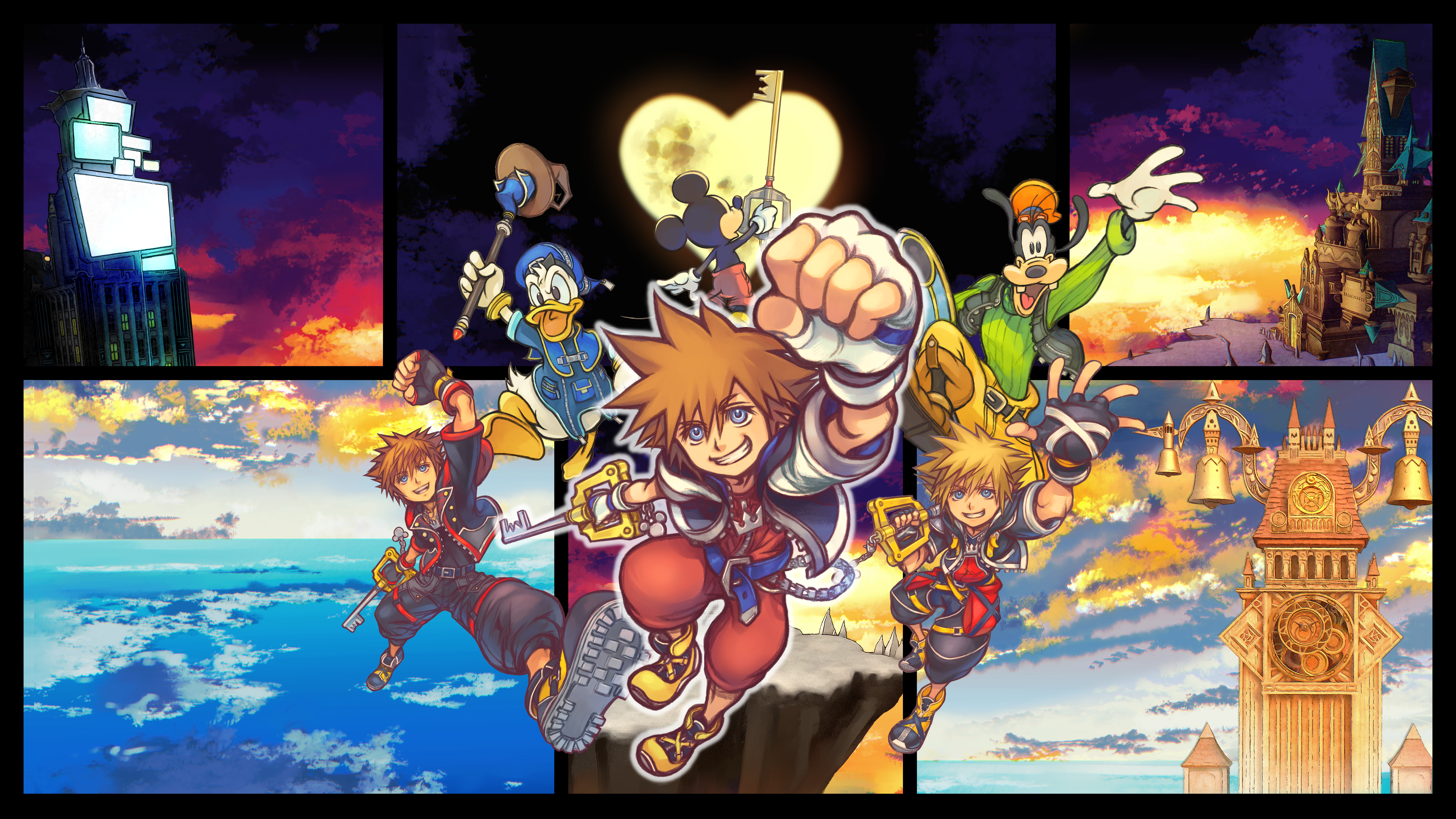 Square Enix has officially released Kingdom Hearts Collection [I–III] for Nintendo Switch 2, PlayStation 5, Xbox Series X|S, and PC via the Microsoft Store on Windows. Most notably, this package boasts native versions of the games on Switch 2, replacing the cloud-based approach previously used on the first Switch. Moreover, there is now a native version of Kingdom Hearts HD 1.5+2.5 ReMIX for the original Switch. The collection includes Kingdom Hearts HD 1.5+2.5 ReMIX, Kingdom Hearts HD 2.8 Final Chapter Prologue, and Kingdom Hearts III alongside its Re Mind DLC. Players can purchase the complete collection physically or digitally, while the three individual packages are also available separately as digital releases. Switch 2 players will also receive the new Long Night platform-exclusive Keyblade. Like before, PlayStation 5 players receive Midnight Blue, and Xbox players receive Phantom Green. These Keyblades are included with purchases of the complete collection or the digital edition of Kingdom Hearts III + Re Mind. Physical purchases of the collection also qualify on Nintendo Switch 2 and PlayStation 5. Players who previously bought the games digitally on Switch, PlayStation 4, or Xbox One now get 50% off eligible digital purchases across Switch 2, PlayStation 5, and Xbox Series X|S, respectively. Lastly, players with the Switch cloud versions can transfer their save data to Switch 2. However, save transfers from previous PlayStation and Xbox versions are not supported. The native releases also arrive before the original Switch cloud versions shut down. Sales of those editions ended on June 9, 2026, and their service is scheduled to end on June 9, 2027. You can view the launch trailer below:
 -

- Today
 one of the best digimon designs right there Click here to view video
- Yesterday
 Oh they're all going to beat him up
 Yay more cakes
 Don't worry, I will continue to talk about it in the future after its out
 omg the newest feature you can um change your shoe coIour (??)
Iike genuineIy this game won't Ieave my recommended I DO NOT CARE IT'S JUST REBIRTH 2 THERE IS NOTHING HERE
I am so ready of 11 years off ff7's bitch ass to be over
omg the newest feature you can um change your shoe coIour (??)
Iike genuineIy this game won't Ieave my recommended I DO NOT CARE IT'S JUST REBIRTH 2 THERE IS NOTHING HERE
I am so ready of 11 years off ff7's bitch ass to be over the voice fits a lot better
I honestly like his new VA more under the circumstance of not knowing Xemnas
Ah hell yeah, the iconic Doritos line from sephiroth is in
this entire trilogy was huge
the ending will be emotional
the voice fits a lot better
I honestly like his new VA more under the circumstance of not knowing Xemnas
Ah hell yeah, the iconic Doritos line from sephiroth is in
this entire trilogy was huge
the ending will be emotional https://fixupx.com/variety/status/2108297436385214608?s=46&t=eH1g8AxF-qbU7U5LpKmbEA
https://vxtwitter.com/discussingfilm/status/2108294688814051696?s=46
https://vxtwitter.com/marvelstudios/status/2108293654670442747?s=46
https://vxtwitter.com/discussingfilm/status/2108292351449846244?s=46
aII I hear is "oh my goodness 👩"
oh my god tifa's va you poor souI
https://fixupx.com/variety/status/2108297436385214608?s=46&t=eH1g8AxF-qbU7U5LpKmbEA
https://vxtwitter.com/discussingfilm/status/2108294688814051696?s=46
https://vxtwitter.com/marvelstudios/status/2108293654670442747?s=46
https://vxtwitter.com/discussingfilm/status/2108292351449846244?s=46
aII I hear is "oh my goodness 👩"
oh my god tifa's va you poor souI
Account
Search
Configure browser push notifications
Chrome (Android)
- Tap the lock icon next to the address bar.
- Tap Permissions → Notifications.
- Adjust your preference.
Chrome (Desktop)
- Click the padlock icon in the address bar.
- Select Site settings.
- Find Notifications and adjust your preference.
Safari (iOS 16.4+)
- Ensure the site is installed via Add to Home Screen.
- Open Settings App → Notifications.
- Find your app name and adjust your preference.
Safari (macOS)
- Go to Safari → Preferences.
- Click the Websites tab.
- Select Notifications in the sidebar.
- Find this website and adjust your preference.
Edge (Android)
- Tap the lock icon next to the address bar.
- Tap Permissions.
- Find Notifications and adjust your preference.
Edge (Desktop)
- Click the padlock icon in the address bar.
- Click Permissions for this site.
- Find Notifications and adjust your preference.
Firefox (Android)
- Go to Settings → Site permissions.
- Tap Notifications.
- Find this site in the list and adjust your preference.
Firefox (Desktop)
- Open Firefox Settings.
- Search for Notifications.
- Find this site in the list and adjust your preference.
