Jump to content
View in the app

A better way to browse. Learn more.

KH13 · for Kingdom Hearts

A full-screen app on your home screen with push notifications, badges and more.

To install this app on iOS and iPadOS
  1. Tap the Share icon in Safari
  2. Scroll the menu and tap Add to Home Screen.
  3. Tap Add in the top-right corner.
To install this app on Android
  1. Tap the 3-dot menu (⋮) in the top-right corner of the browser.
  2. Tap Add to Home screen or Install app.
  3. Confirm by tapping Install.

Eric Quesada_38371

Verified Member
  • Joined

  • Last visited

  1. I believe the game starts before that one cutscene where he says he is going to Olympus, making Twilight Town the tutorial even before leaving to Olympus
  2. I did find a solution for rooted phones, you need to use lucky patcher app to rebuild the APK and then install through your file browser ( should easily find a more detailed tutorial for this method on google)
  3. not working for me, when I try through the play store it gives me error 103 and when i try to install the apk it simply wont install and says (Application not installed)
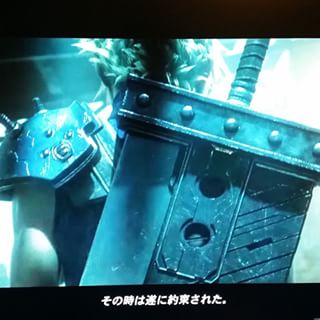
  4. I tried to take some better shots of this scene, here you go. here
  5.    Eric Quesada_38371 reacted to a post in a topic: A Rant About Kingdom Hearts.
  6. Oh shit! Khux twitter just confirmed that is a emergence maintence... phew!
  7. I was playing unchained X and all of a sudden the app closed by it self ( might be some RAM problem I'm having) but when I restarted the app I got this error "Failure when receiving data from the peer" ( it was written in english ) does anyone here any idea what that means?

Configure browser push notifications

Chrome (Android)
  1. Tap the lock icon next to the address bar.
  2. Tap Permissions → Notifications.
  3. Adjust your preference.
Chrome (Desktop)
  1. Click the padlock icon in the address bar.
  2. Select Site settings.
  3. Find Notifications and adjust your preference.
Scroll to the top