




All Activity
- Past hour
-

-
Do it delete it
-
You deleted dat
-
- Yesterday

 Nomura is gonna be impossible. He's an unicorn for the fans. Its uber rare to get a picture with him as a fan no? Especially as a American/European?


 Lol dw I will get to them...eventually
-
 KHCollectIII_NS2_SEA_FOB_TRI_ESRB__47342.jpg
-
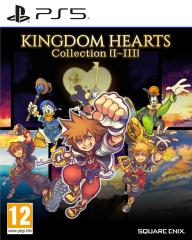 KHCOLL_PS5_SEE_FOB_PEGI_v01__71534.jpg
-
 KHCOLL_Packshot_SQEX_SEE_500x718_PEGI_v01__01908.jpg
-
 KHCOLL_NS2_SEE_FOB_PEGI_FE_v02__47188.jpg
-
 KH_COLL_III_SQEX_ESRB_TRI_v01__69959.jpg
-
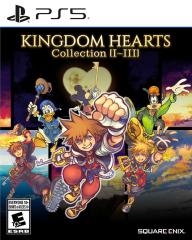 KH_COLL_III_PS5_ESRB_TRI_v01__96105.jpg
-
 f9cff8a31c1044f3bcf7763917333355_Original.jpg
-
 ca55f40547c5439aaf8bfedff1ff0191_Large.jpg
 gonna buy the switch 2 physical versions


Account
Search
Configure browser push notifications
Chrome (Android)
- Tap the lock icon next to the address bar.
- Tap Permissions → Notifications.
- Adjust your preference.
Chrome (Desktop)
- Click the padlock icon in the address bar.
- Select Site settings.
- Find Notifications and adjust your preference.
Safari (iOS 16.4+)
- Ensure the site is installed via Add to Home Screen.
- Open Settings App → Notifications.
- Find your app name and adjust your preference.
Safari (macOS)
- Go to Safari → Preferences.
- Click the Websites tab.
- Select Notifications in the sidebar.
- Find this website and adjust your preference.
Edge (Android)
- Tap the lock icon next to the address bar.
- Tap Permissions.
- Find Notifications and adjust your preference.
Edge (Desktop)
- Click the padlock icon in the address bar.
- Click Permissions for this site.
- Find Notifications and adjust your preference.
Firefox (Android)
- Go to Settings → Site permissions.
- Tap Notifications.
- Find this site in the list and adjust your preference.
Firefox (Desktop)
- Open Firefox Settings.
- Search for Notifications.
- Find this site in the list and adjust your preference.
