




All Activity
- Past hour
-


 Plus female representation
 I think the blue twin redditor would be a better representative for the game in spinoffs
 the merch bundle for kh exhibit (6700 yen ticket vs 3200 yen early or 3600 normal) is these cards or whatever. FF exhibit merch is a pin badge set thing, 13,499 merch ticket vs normal ticket of 3,500 yen (13,199 ticket and 3,200 yen early sale price) not sure i really want either of these tbh
 she's very popular, has been here since the beginning, and different from the guy wielding a sword so it's a good choice
even the default player character from ux has better scenes than Y'shtola tbf
it's like adding default Player from khux in kh4
she's very popular, has been here since the beginning, and different from the guy wielding a sword so it's a good choice
even the default player character from ux has better scenes than Y'shtola tbf
it's like adding default Player from khux in kh4 They will always be known as Derplander to me
I had to look up who that even was
Hiroshi (Meteor) has so much more aura
I will never understand why she's the representation
They will always be known as Derplander to me
I had to look up who that even was
Hiroshi (Meteor) has so much more aura
I will never understand why she's the representation- Today
 1.5+2.5 is also now available on switch 1 native and not cloud based
they released another collection for the current gen systems including switch 2 ya
1.5+2.5 is also now available on switch 1 native and not cloud based
they released another collection for the current gen systems including switch 2 ya
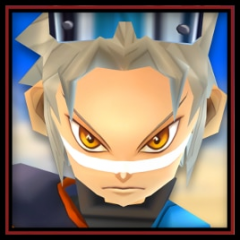 Is this on Nintendo Switch 2?
https://fixupx.com/KYE_X__/status/2108215057620304040
That's fucking insane
Oh that's the whole revelation voice cast
DAMN IT HAMAGUCHI NOT HERE
Is this on Nintendo Switch 2?
https://fixupx.com/KYE_X__/status/2108215057620304040
That's fucking insane
Oh that's the whole revelation voice cast
DAMN IT HAMAGUCHI NOT HERE

Account
Search
Configure browser push notifications
Chrome (Android)
- Tap the lock icon next to the address bar.
- Tap Permissions → Notifications.
- Adjust your preference.
Chrome (Desktop)
- Click the padlock icon in the address bar.
- Select Site settings.
- Find Notifications and adjust your preference.
Safari (iOS 16.4+)
- Ensure the site is installed via Add to Home Screen.
- Open Settings App → Notifications.
- Find your app name and adjust your preference.
Safari (macOS)
- Go to Safari → Preferences.
- Click the Websites tab.
- Select Notifications in the sidebar.
- Find this website and adjust your preference.
Edge (Android)
- Tap the lock icon next to the address bar.
- Tap Permissions.
- Find Notifications and adjust your preference.
Edge (Desktop)
- Click the padlock icon in the address bar.
- Click Permissions for this site.
- Find Notifications and adjust your preference.
Firefox (Android)
- Go to Settings → Site permissions.
- Tap Notifications.
- Find this site in the list and adjust your preference.
Firefox (Desktop)
- Open Firefox Settings.
- Search for Notifications.
- Find this site in the list and adjust your preference.
