




All Activity
- Past hour
-
 You'd think they'd want to do FF7 part 3 first
 -
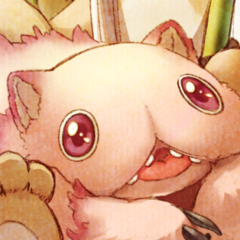 it's DQ 40th anniversary
 -
I mean for the promotion cycle
-
 DQ fans have been waiting for a new mainline game since 2017
 -
-
This was announced a whole year before KH4
-
If this is actually for DQ12 then no
-
This before FF7 part 3 reveal and KH4 is a odd choice from square 🤔
-

-
-

- Today

 [quote]We will be releasing "Announcements from Dragon Quest" on Wednesday, May 27th at 10 PM. The program is expected to be approximately 10 minutes long. Please be sure to watch. lol 10 minutes
 https://vxtwitter.com/shinobi602/status/2059245497815122064
 https://fixupx.com/muunonoe/status/2059168073555595756
 DariusSs joined the community
SSX + Jet Set Radio
DariusSs joined the community
SSX + Jet Set Radio BIG BRO VENTY WENTY
Account
Search
Configure browser push notifications
Chrome (Android)
- Tap the lock icon next to the address bar.
- Tap Permissions → Notifications.
- Adjust your preference.
Chrome (Desktop)
- Click the padlock icon in the address bar.
- Select Site settings.
- Find Notifications and adjust your preference.
Safari (iOS 16.4+)
- Ensure the site is installed via Add to Home Screen.
- Open Settings App → Notifications.
- Find your app name and adjust your preference.
Safari (macOS)
- Go to Safari → Preferences.
- Click the Websites tab.
- Select Notifications in the sidebar.
- Find this website and adjust your preference.
Edge (Android)
- Tap the lock icon next to the address bar.
- Tap Permissions.
- Find Notifications and adjust your preference.
Edge (Desktop)
- Click the padlock icon in the address bar.
- Click Permissions for this site.
- Find Notifications and adjust your preference.
Firefox (Android)
- Go to Settings → Site permissions.
- Tap Notifications.
- Find this site in the list and adjust your preference.
Firefox (Desktop)
- Open Firefox Settings.
- Search for Notifications.
- Find this site in the list and adjust your preference.
