




All Activity
- Past hour
-

- Today
-
 @Discord Moderator someone has fallen to darkness ↑
-

-
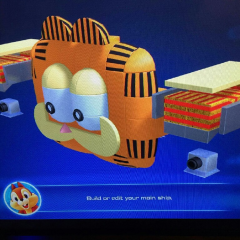 the 17th discord user ikuro has been compromised
-
 @Discord Moderator
-
 ikuro joined the community

 Nexus is usually a trusted source so it was worth at least being aware of it
Ya just saw glad that’s the case
- Yesterday
 Dragon Ball Super: Beerus has finally begun english dubbed. Is it the same thing for a third time? Yes. Yes it is. But it's not like I have anything better to watch 😓
 Being done by Digic
doesn't look like it, just a similar look
 did the people who did arcane do this
Account
Search
Configure browser push notifications
Chrome (Android)
- Tap the lock icon next to the address bar.
- Tap Permissions → Notifications.
- Adjust your preference.
Chrome (Desktop)
- Click the padlock icon in the address bar.
- Select Site settings.
- Find Notifications and adjust your preference.
Safari (iOS 16.4+)
- Ensure the site is installed via Add to Home Screen.
- Open Settings App → Notifications.
- Find your app name and adjust your preference.
Safari (macOS)
- Go to Safari → Preferences.
- Click the Websites tab.
- Select Notifications in the sidebar.
- Find this website and adjust your preference.
Edge (Android)
- Tap the lock icon next to the address bar.
- Tap Permissions.
- Find Notifications and adjust your preference.
Edge (Desktop)
- Click the padlock icon in the address bar.
- Click Permissions for this site.
- Find Notifications and adjust your preference.
Firefox (Android)
- Go to Settings → Site permissions.
- Tap Notifications.
- Find this site in the list and adjust your preference.
Firefox (Desktop)
- Open Firefox Settings.
- Search for Notifications.
- Find this site in the list and adjust your preference.
