Jump to content
View in the app

A better way to browse. Learn more.

KH13 · for Kingdom Hearts

A full-screen app on your home screen with push notifications, badges and more.

To install this app on iOS and iPadOS
  1. Tap the Share icon in Safari
  2. Scroll the menu and tap Add to Home Screen.
  3. Tap Add in the top-right corner.
To install this app on Android
  1. Tap the 3-dot menu (⋮) in the top-right corner of the browser.
  2. Tap Add to Home screen or Install app.
  3. Confirm by tapping Install.
  • Replies 2k
  • Views 314.6k
  • Created
  • Last Reply

Top Posters In This Topic

Most Popular Posts

Posted Images

Featured Replies

Posted Image

Sheep kinda remind me of dream eaters a bit...

xD;

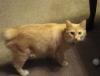
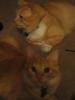
My gf showed me our two new fat babies. :)) i'll get better pics when i go visit.


MPosted Image

Edited by Silent Hero

Posted Image

Posted Image

Posted Image

omg to both of these xD i really relate to that second one....xD; aha..>w<;; n//n

Posted Image

Posted Image

im sorry if i seem like a dumbass not liking any of these, i cant check on time before quota ;^;


Posted Image

Coco got a haircut (and cute bows)


Posted Image

Posted Image


I just D'aaawwwedddd wayyy too much. 


Here's my dog from like last Christmas. She has a bow too >.>


Posted Image


Edited by Rainbow Dash

Configure browser push notifications

Chrome (Android)
  1. Tap the lock icon next to the address bar.
  2. Tap Permissions → Notifications.
  3. Adjust your preference.
Chrome (Desktop)
  1. Click the padlock icon in the address bar.
  2. Select Site settings.
  3. Find Notifications and adjust your preference.
Scroll to the top