Jump to content
View in the app

A better way to browse. Learn more.

KH13 · for Kingdom Hearts

A full-screen app on your home screen with push notifications, badges and more.

To install this app on iOS and iPadOS
  1. Tap the Share icon in Safari
  2. Scroll the menu and tap Add to Home Screen.
  3. Tap Add in the top-right corner.
To install this app on Android
  1. Tap the 3-dot menu (⋮) in the top-right corner of the browser.
  2. Tap Add to Home screen or Install app.
  3. Confirm by tapping Install.

Kingdom Hearts IV Reveals New Trailer

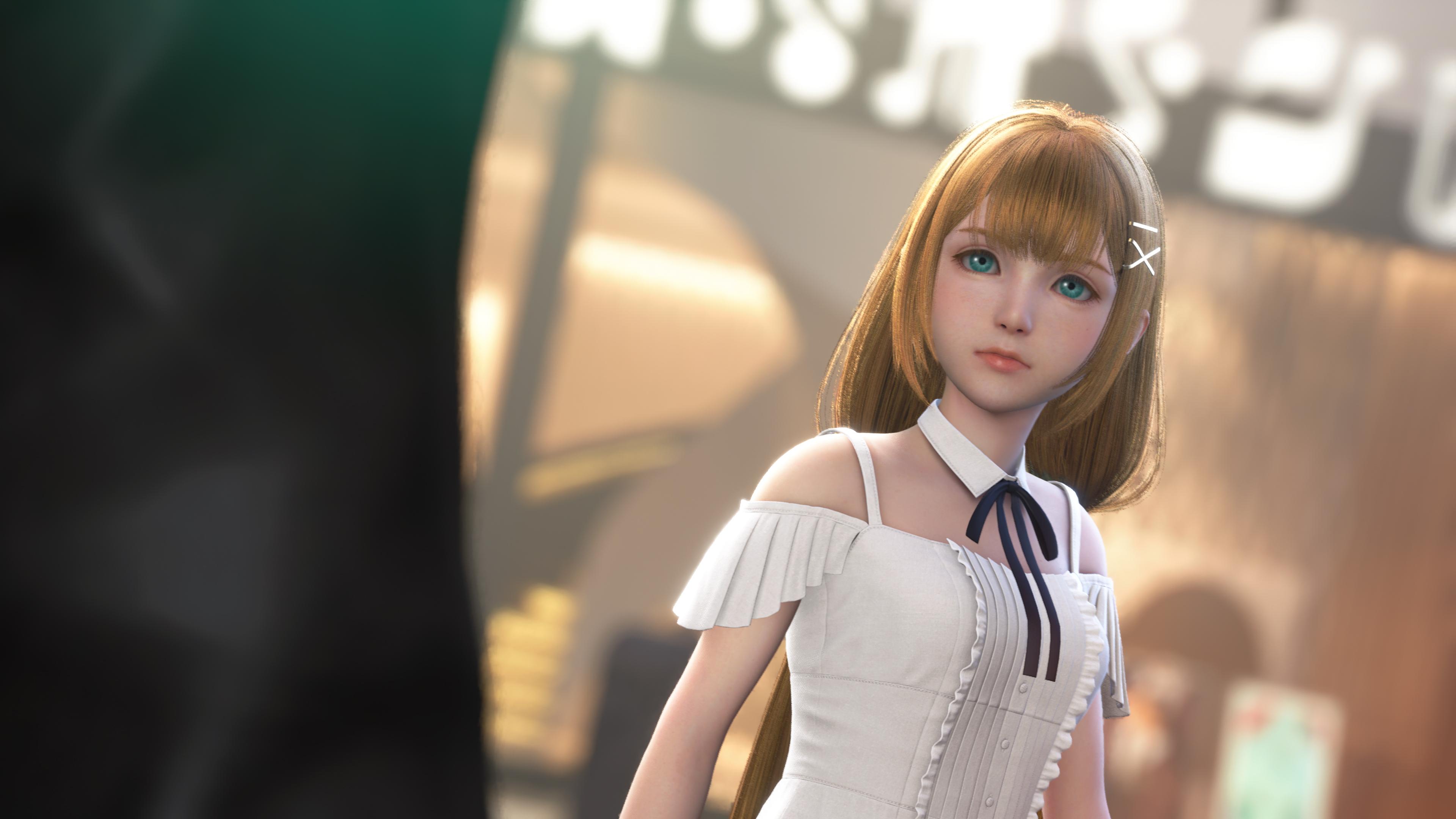
During today's Nintendo Direct, Square Enix revealed a brand-new trailer for Kingdom Hearts IV. While the trailer did not reveal a release date, it did however, reveal that the title will launch as a simultaneous release on Nintendo Switch 2, PlayStation 5, XBOX Series X|S and PC.

You can view some of the screenshots that were revealed by Square Enix from our gallery below:

And you can view the new trailer below:

Latest Forum Topics

  1. KH13 ·
    • 35122 comments
    • 829985 views
  2. EighteenEighty ·
    • 2 comments
    • 650 views
  3. ViniLeaRocks ·
  4. ViniLeaRocks ·
  5. Ursalink ·
    • 11 comments
    • 2780 views

User Feedback

Recommended Comments

ocean's rage

Verified Member

confirmed for switch 2 was all I needed

Join the conversation

You can post now and register later. If you have an account, sign in now to post with your account.

Guest
Add a comment...

Configure browser push notifications

Chrome (Android)
  1. Tap the lock icon next to the address bar.
  2. Tap Permissions → Notifications.
  3. Adjust your preference.
Chrome (Desktop)
  1. Click the padlock icon in the address bar.
  2. Select Site settings.
  3. Find Notifications and adjust your preference.
Scroll to the top