Sora96
Verified Member
-
Joined
-
Last visited
Everything posted by Sora96
-

-
-
-
-
-
-
Wakeless will play XIII and Lightning Returns when she gets the chance.
-
Nothing has been announced regarding this. Please direct all future questions to my Twitter.
-
-
-
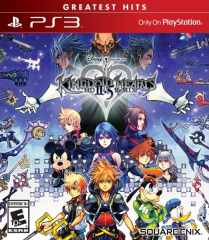 HD25GH zpsvus1bdnc
-
 01see16971920 01
-
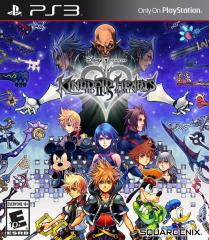 B1kJujOCIAA Vu
-
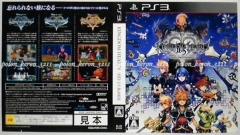 HD 2.5 ReMIX, Japanese case
-
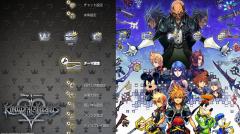 pPtUO7s
-
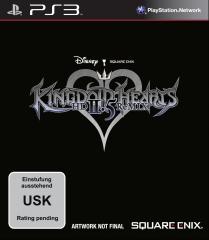 KH25 PS3 PFT USKrp 1401987122
-
 KH25 PS3 PFT PEGIprov 1401987122
-
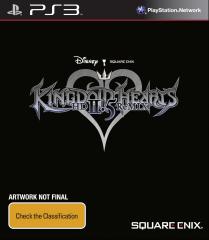 KH25 PS3 PFT OFLCcc 1401987121
-
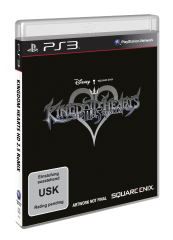 KH25 PS3 3D PFT USKrp 1401987120
-
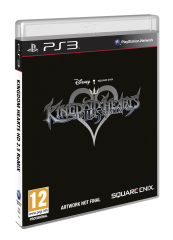 KH25 PS3 3D PFT PEGIprov 1401987119
-
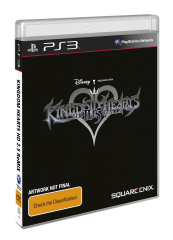 KH25 PS3 3D PFT OFLC 1401987117
-
 KH25 PS3 3D PFT OFLC 1401987117
-
 kh2.5_box_art
-
 logo_white
-
 logo_black
-
-
http://kh13.com/forum/topic/94805-sora96-leaves-kh13/
-
-
-
-
-
Had to happen someday, and so here it is. I'm leaving KH13.com. I joined on June 19, 2009 and depart on February 18, 2016. If you want to talk to me feel free to tweet or message me @Sora96 on Twitter. I'll happily discuss everything Square Enix, video games, sport, music, movies or whatever there.
-
Google are launching a Chromecast set-top box tomorrow in Japan and with it comes Final Fantasy XIII Google Cast Edition. It seems to have faster speeds than Apple TV, Fire TV etc and you'll also be able to play other games like Angry Birds.
-
-
-
My review of the Android version of Lightning Returns is here! http://kh13.com/forum/topic/94788-sora96s-lightning-returns-final-fantasy-xiii-for-android-review/
-
Motomu Toriyama and Yoshinori Kitase's LIGHTNING RETURNS: FINAL FANTASY XIII has been released as its own dedicated app for iOS & Android devices. With this you can stream this amazing game to your smartphone or tablet. Today, I installed it on my smartphone and was quite impressed. I am using an Australian Internet connection which are years behind countries like Japan & the United States and despite this I was able to stream the game to my smartphone quite well. At times the graphics did go quite low but generally the game kept looking pretty good. At times I was blown away as the game looked stunning. The controls are stunning. The battle system works perfectly with the touch controls. Way better than a keyboard as I used for the PC port. However since my smartphone isn't that big some controls overlapped with each other but I managed to work around it easily. All audio was preserved and plays perfectly. The Android version runs pretty well on my smartphone so it must run really well in Japan. I hope to see the iOS & Android versions of the FINAL FANTASY XIII series released worldwide one day. 10/10
-
Nomura likely cannot comment on the release. I meant drop as in what they usually do for mobile and PC games, just release it one day randomly.
-
Yeah, they'll most likely just drop it one day.
Square Enix Japan is much, much more concerned with text-based translations. Last generation, they translated their very first game into Chinese and Korean with Final Fantasy XIII. This has continued with Russian and Portuguese translations for mobile games. Comments from Hajime Tabata, the head of BD2 has confirmed this as well for Final Fantasy XV.