




All Activity
- Past hour
-
 Thank you!
 - Today
-
 not unless it was a child account i think
 -
Can Epic Games delete your account if you’ve been inactive for a long time? I remember playing Fortnite once in my life and then never playing it again. However, I wanted to give it another try because you can use a replica of the Kingdom Key in the game. Unfortunately, it says that my account can no longer be found.
-

-
-


-
 Treasure_Chest_reward_icon.webp
-
 Star_Trails_trail_icon.webp
-
 Star_Trails_rocket_boost_icon.webp
-
 Sora_decal_icon.webp
-
 Seal_the_Goal_goal_explosion_icon.webp
-
 Magic_decal_icon.webp
-
 Lucky_Emblem_wheel_icon.webp
-
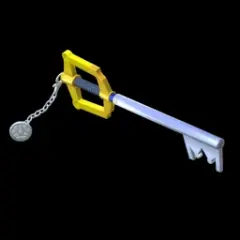 Keyblade_topper_icon.webp
-
 Keyblade_player_banner_icon.webp
-
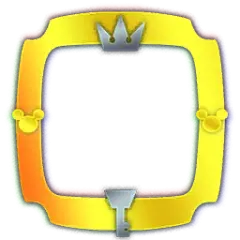 Keyblade_avatar_border_icon.webp
-
 Heartless_wheel_icon.webp
-
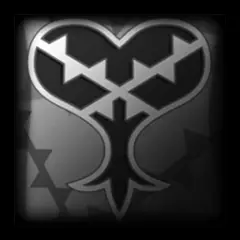 Heartless_decal_icon.webp
-
 Gummi_Ship_wheel_icon.webp
-
 Gummi_Ship_body_icon.webp
-
 Full_Hearted_decal_icon.webp
-
 Classic_decal_icon.webp

 Queen went before Nintendo remembered Twilight Princesses existence 😔
 that's nothing. Queen went before OoT Remake came out
damn, Queen went before KH4 came out 😔
that's nothing. Queen went before OoT Remake came out
damn, Queen went before KH4 came out 😔
 Hope you get some medicine soon 🙏
 how soon we forget...
I despise AI, what are you on about
I cant help but feel somehow that this is Otti's fault....
how soon we forget...
I despise AI, what are you on about
I cant help but feel somehow that this is Otti's fault....
Account
Search
Configure browser push notifications
Chrome (Android)
- Tap the lock icon next to the address bar.
- Tap Permissions → Notifications.
- Adjust your preference.
Chrome (Desktop)
- Click the padlock icon in the address bar.
- Select Site settings.
- Find Notifications and adjust your preference.
Safari (iOS 16.4+)
- Ensure the site is installed via Add to Home Screen.
- Open Settings App → Notifications.
- Find your app name and adjust your preference.
Safari (macOS)
- Go to Safari → Preferences.
- Click the Websites tab.
- Select Notifications in the sidebar.
- Find this website and adjust your preference.
Edge (Android)
- Tap the lock icon next to the address bar.
- Tap Permissions.
- Find Notifications and adjust your preference.
Edge (Desktop)
- Click the padlock icon in the address bar.
- Click Permissions for this site.
- Find Notifications and adjust your preference.
Firefox (Android)
- Go to Settings → Site permissions.
- Tap Notifications.
- Find this site in the list and adjust your preference.
Firefox (Desktop)
- Open Firefox Settings.
- Search for Notifications.
- Find this site in the list and adjust your preference.
